
Account Details Section For Members
Link: https://support.brilliantdirectories.com/support/solutions/articles/12000046936
Navigation Path:
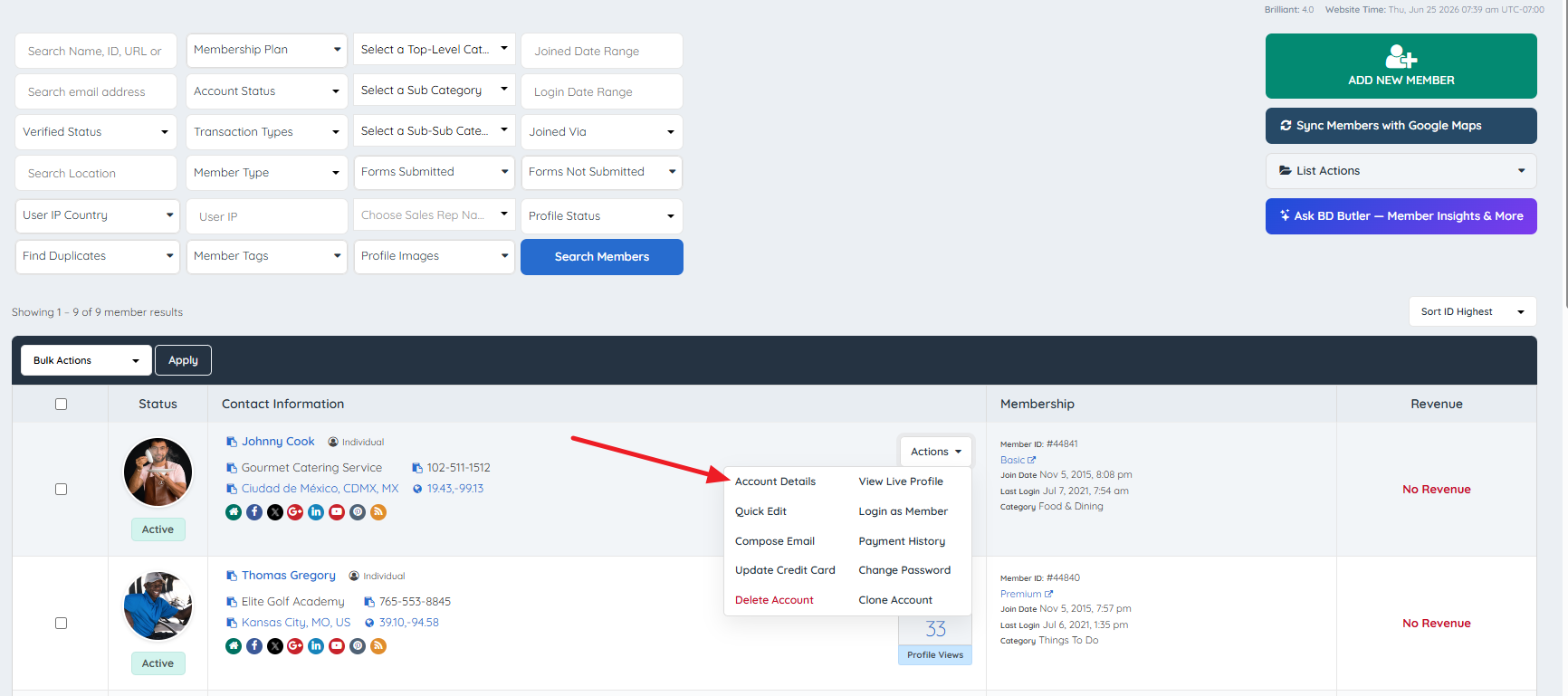
Admin Dashboard » My Members » Search Members » Actions Dropdown » Account Details
The Account Details section provides a comprehensive administrative view of an individual member record. It is organized into seven tabs, each covering a distinct area of member data.
The seven tabs are:
- Overview
- Transactions
- Subscriptions
- Profile Analytics
- Member Content
- Activity
- Member Reviews
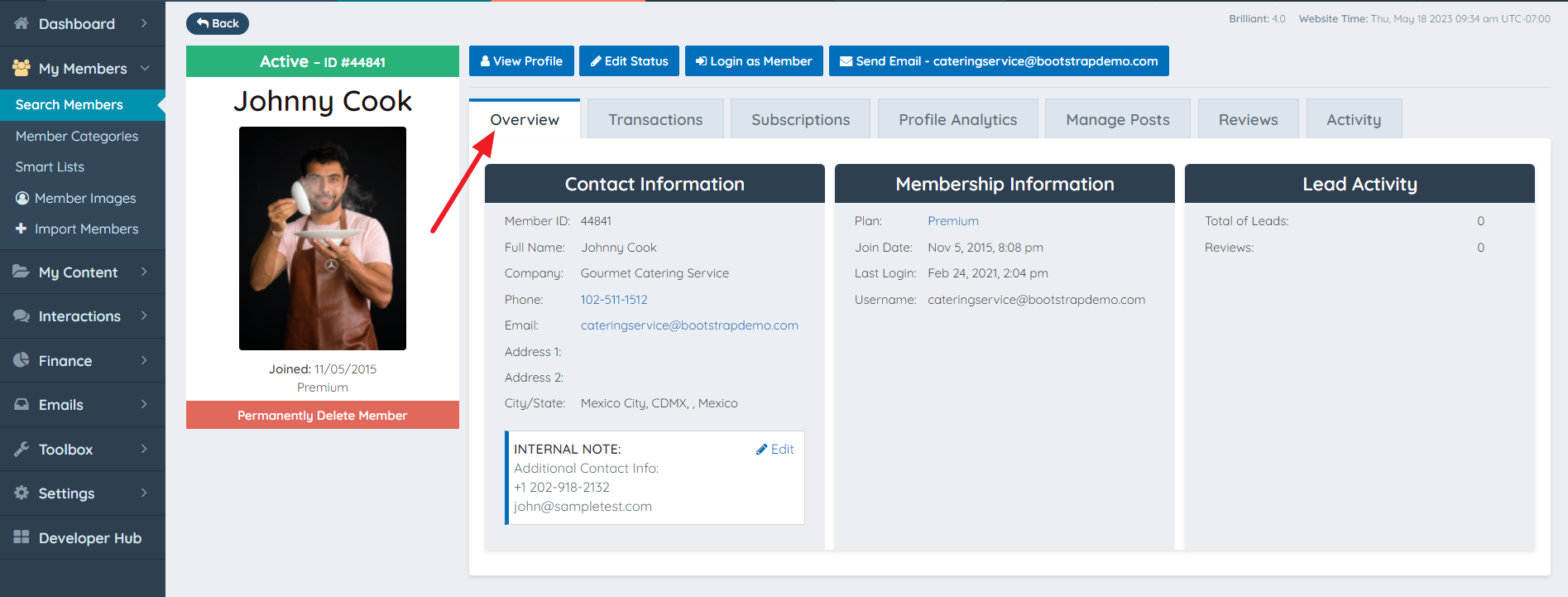
Overview
The Overview tab presents a consolidated summary of the selected member's core account information, organized into the following sections:
- Contact Information — Displays the member's name, email address, phone number, and address details.
- Membership Information — Displays the member's assigned plan, account status, join date, and related account-level settings.
- Lead Activity Stats — Displays an at-a-glance summary of lead-related activity associated with the member's profile.
- Internal Admin Notes — Displays any notes entered for this member via the Internal Admin Notes field in the Quick Edit Module. These notes are visible only to administrators and are not displayed to the member or site visitors.
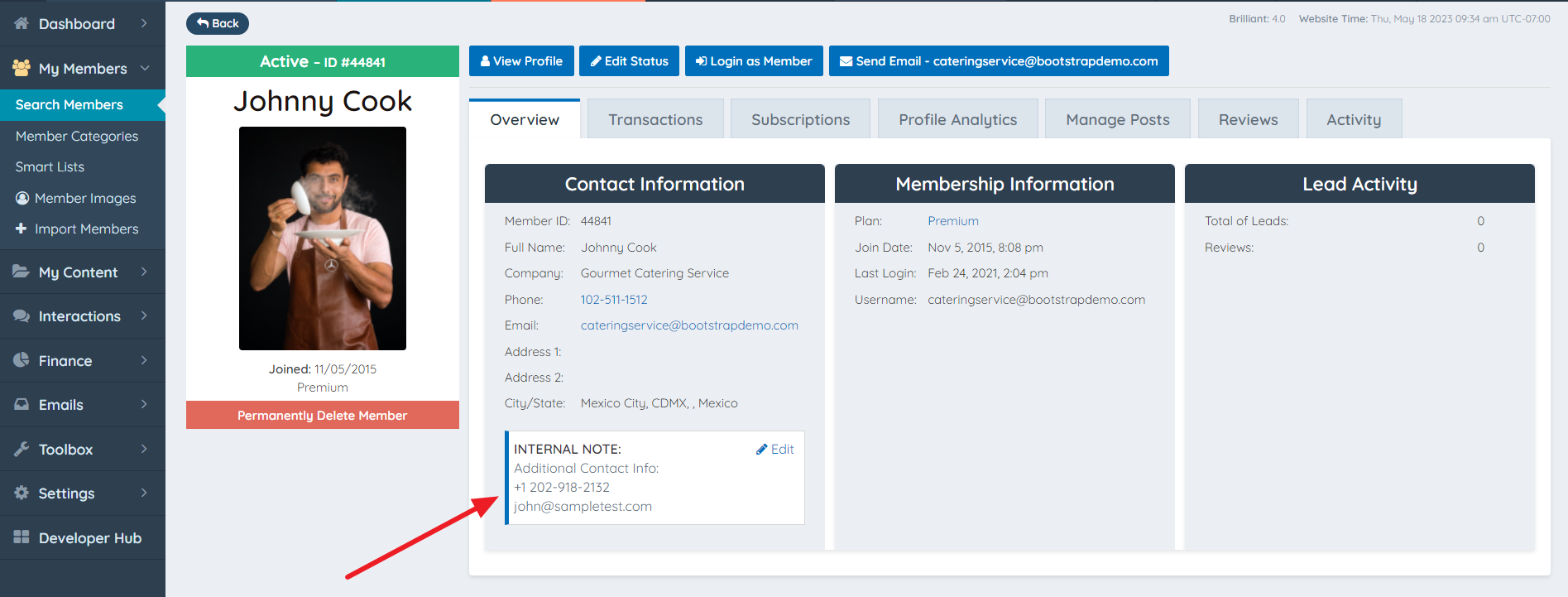
⚠ NOTE — Overview Is Read-Only: No fields in the Overview tab are editable from this view. To modify contact or account information, use the Quick Edit module or the member's full Edit Profile section.
Transactions
The Transactions tab displays the complete payment and transaction history for the selected member. The layout and data format mirrors the global Transaction History view found under Finance, but is filtered to show records belonging to the selected member only.
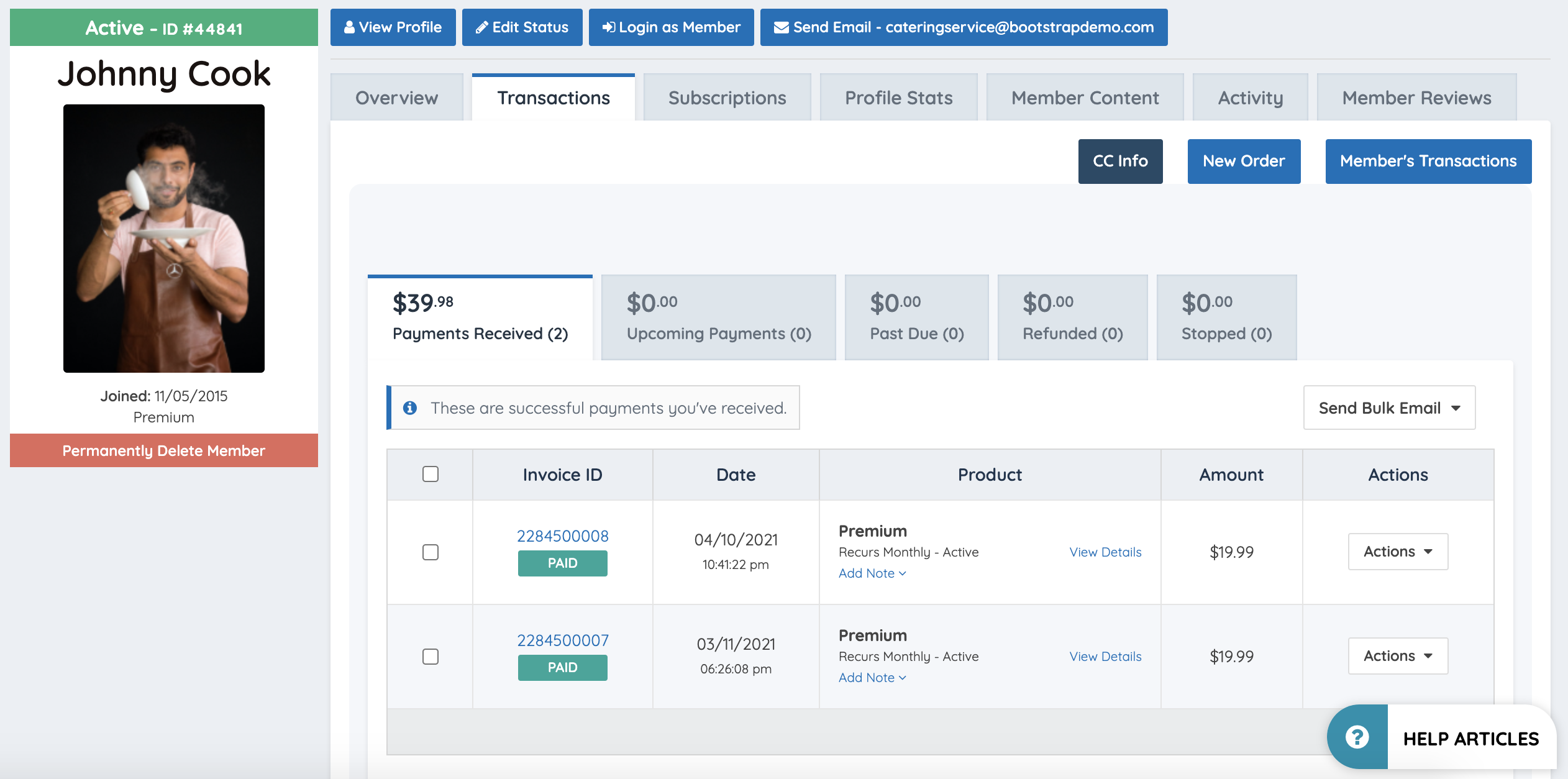
The CC Info button allows the administrator to view and edit the credit card information on file for the selected member.
Reference: CC Info
The New Order button allows the administrator to create a new order for the selected member directly from within the Transactions tab.
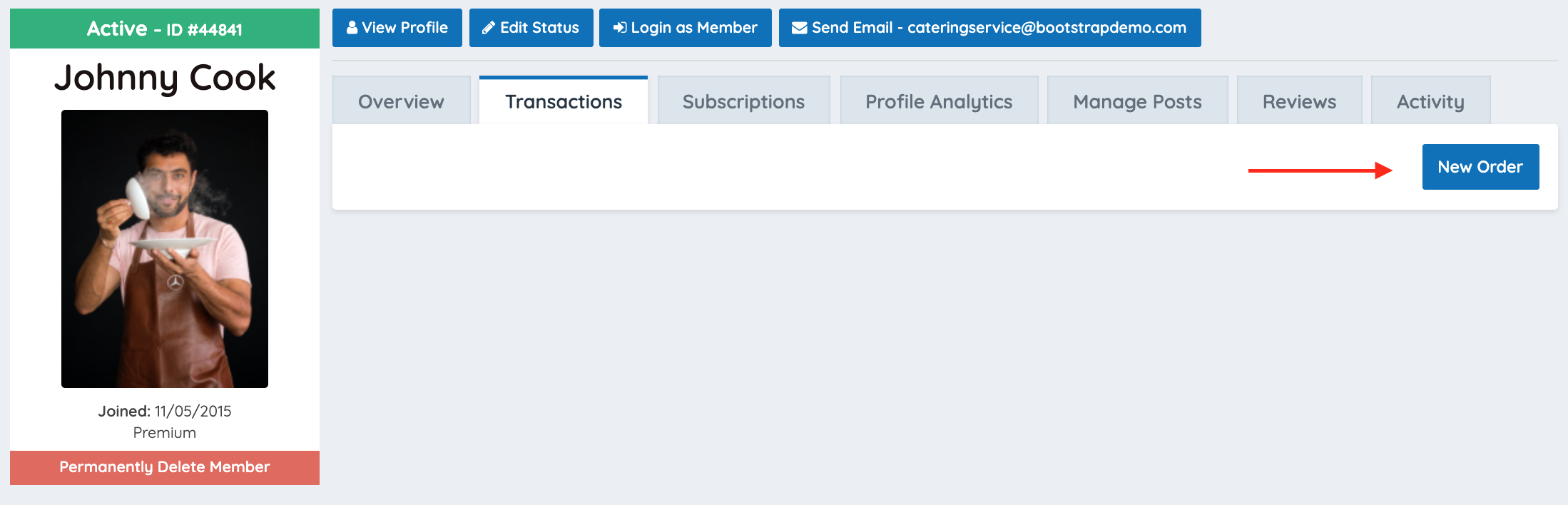
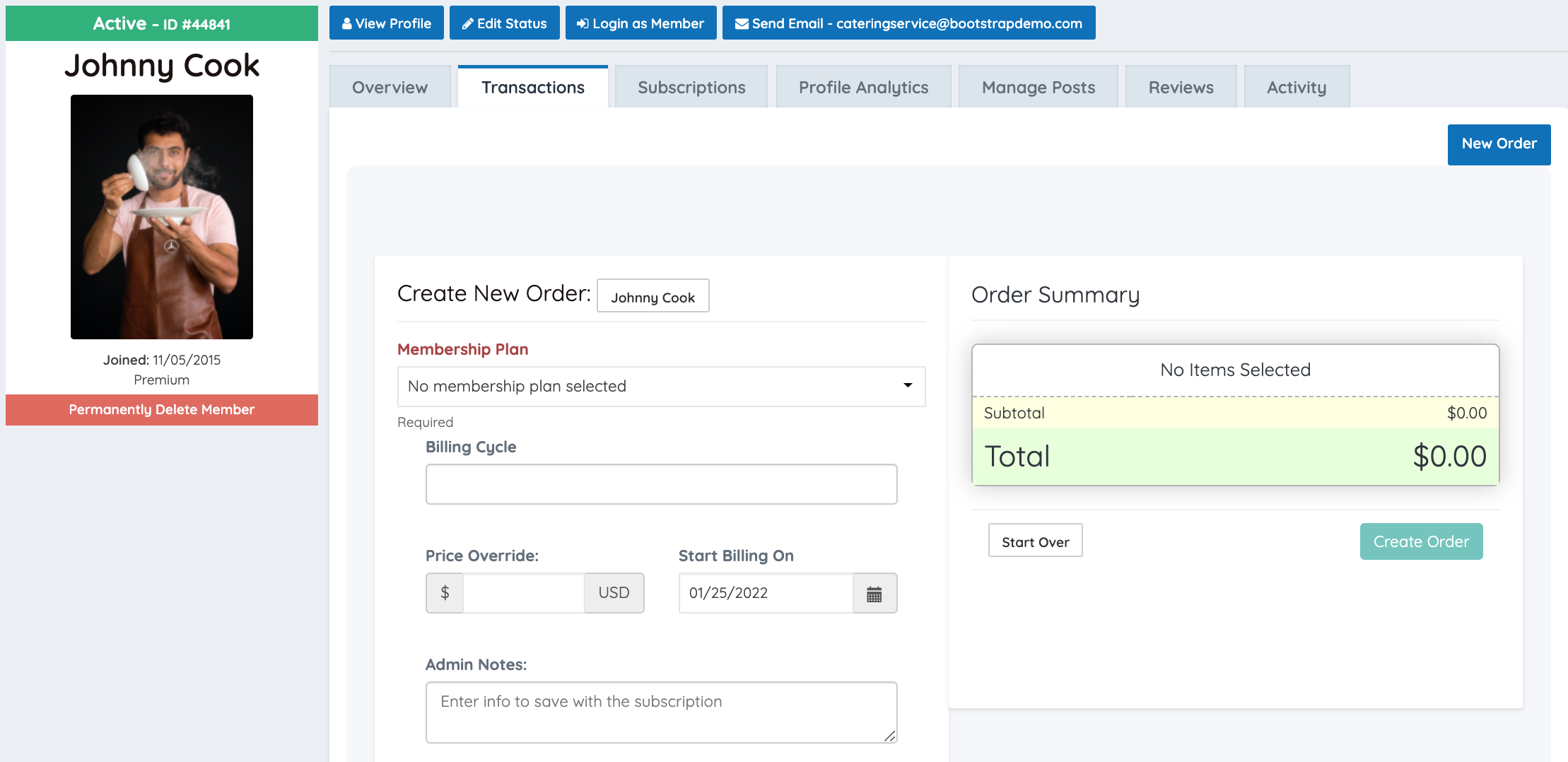
⚠ BEHAVIORAL NOTE — Button Availability Is Conditional: The New Order button is only displayed when no active subscription exists for the member. When an active subscription is present, the transaction history is displayed without the New Order button. If a member's subscription has lapsed or was never created, the New Order button will appear in its place, allowing the administrator to initiate a new subscription for that member.
Subscriptions
The Subscriptions tab displays the complete subscription history for the selected member, including the active subscription record, billing cycle, next invoice date, and any coupon code applied at the time of signup (if applicable).
Selecting a coupon code displayed in this tab opens the coupon's configuration details.
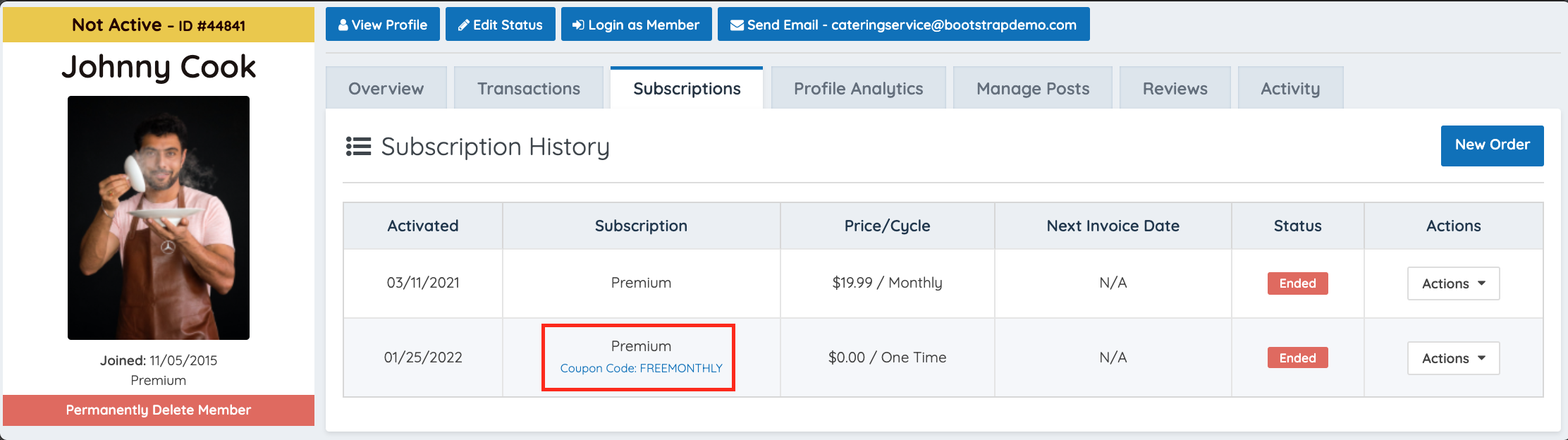
The following subscription management actions are available via the Actions dropdown within this tab:
| Action | Description |
|---|---|
| Edit Subscription | Allows modification of the member's active subscription settings. |
| Cancel Subscription | Initiates the cancellation of the member's active subscription. |
References: Edit Subscription · Cancel Subscription
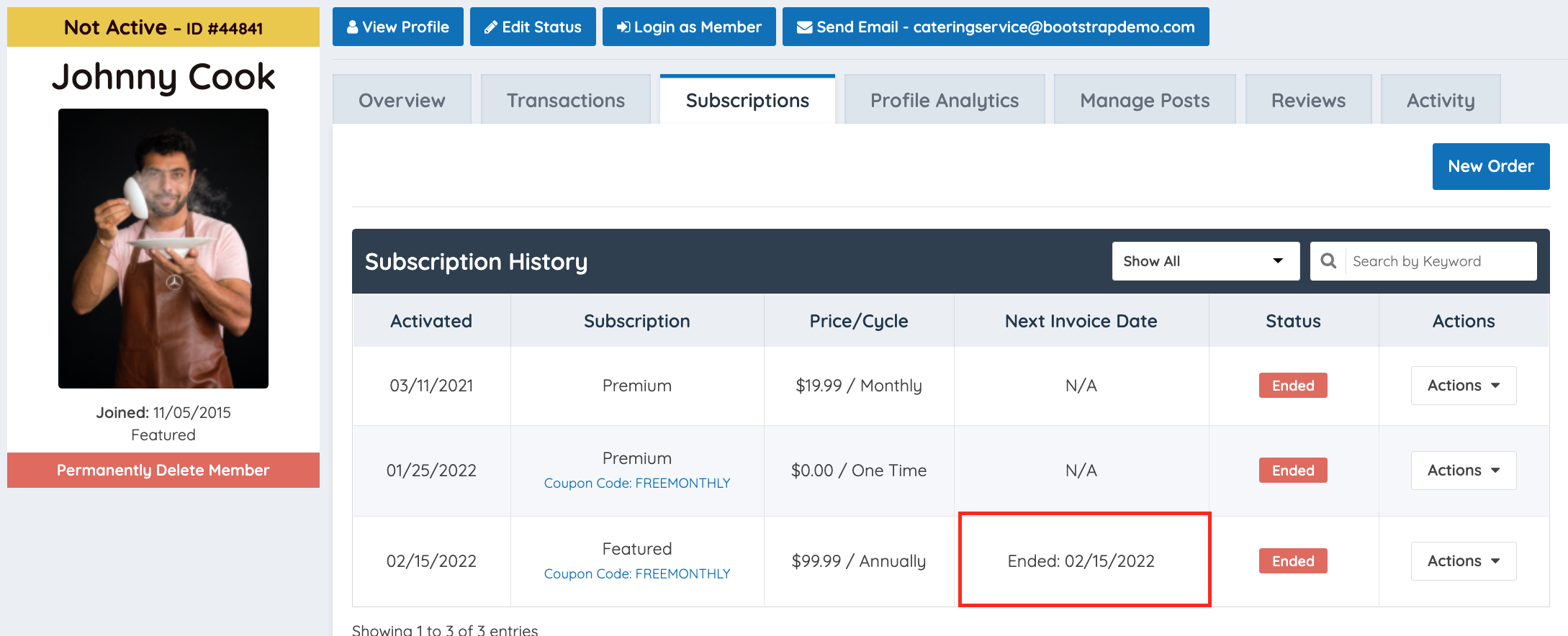
⚠ NOTE — Cancellation Date Display: When a subscription is cancelled, the Next Invoice Date field in the subscription record is replaced by the cancellation date. This is the system's indicator that no further billing cycles are scheduled for that subscription.
Profile Analytics
The Profile Analytics tab displays page visit statistics for the selected member's public profile, including visit counts broken down by month, year, and total cumulative visits.
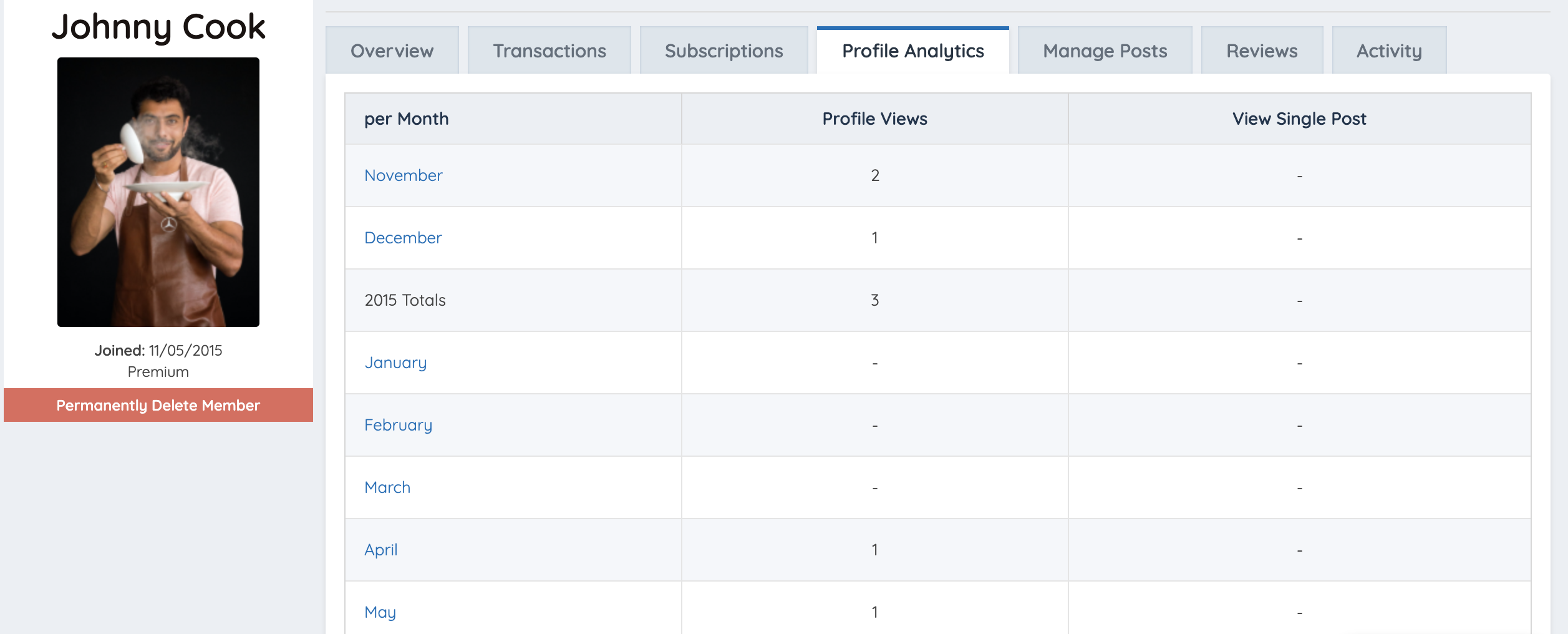
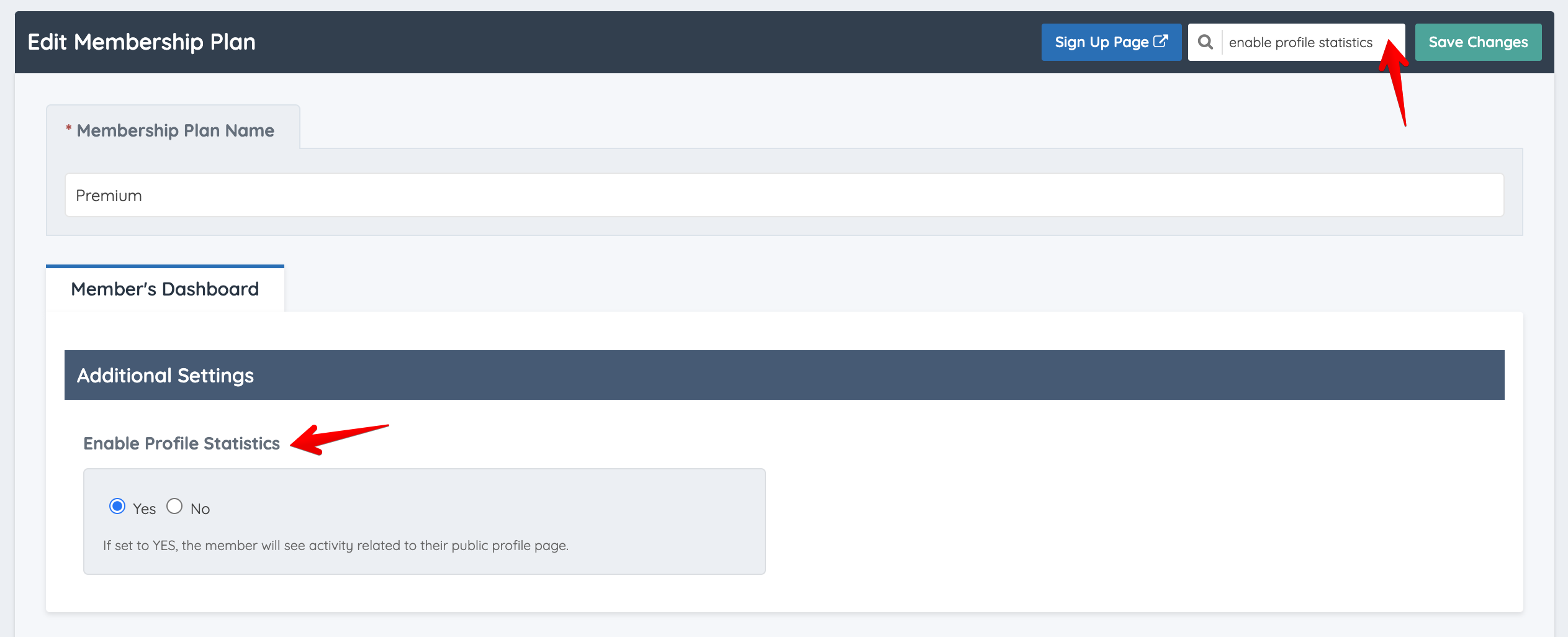
⚠ ADD-ON REQUIRED — Member Profile Analytics: This tab is only visible when both of the following conditions are met:
- The Member Profile Analytics add-on is active on the site.
- The "Enable Profile Statistics" setting is enabled within the member's assigned Membership Plan settings.
If either condition is not met, the Profile Analytics tab will not appear in the Account Details section for that member.
Member Content
The Member Content tab displays all posts created by the selected member, including content that has not yet been published. The layout and available actions mirror the global Manage Posts view found under My Content, but is filtered to show only posts belonging to the selected member.
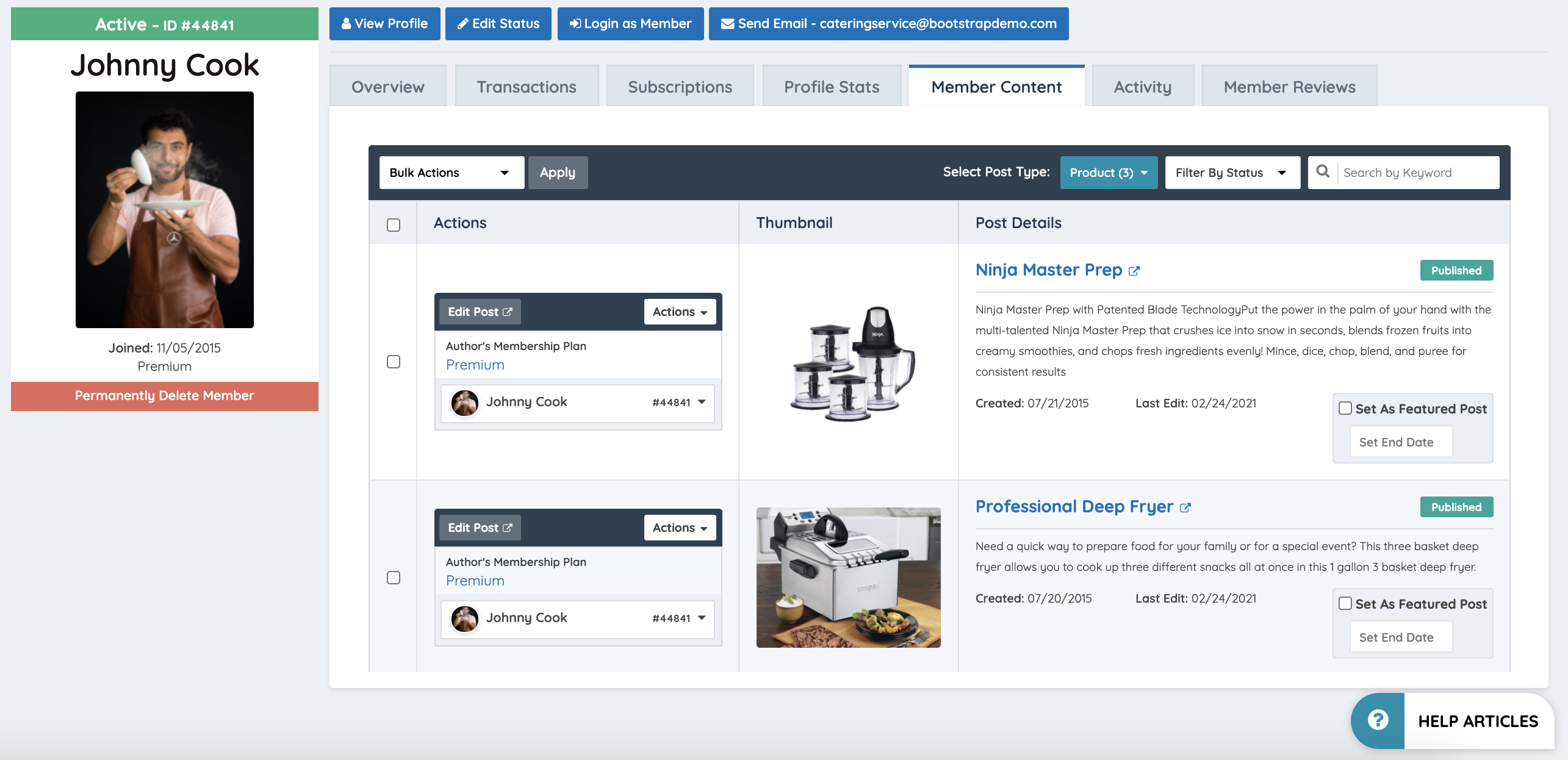
⚠ NOTE — Unpublished Content Is Visible Here: This tab surfaces all content records for the member regardless of publication status. Unpublished, draft, and pending posts are displayed alongside published content. This is the recommended view for auditing a specific member's full content output
Activity
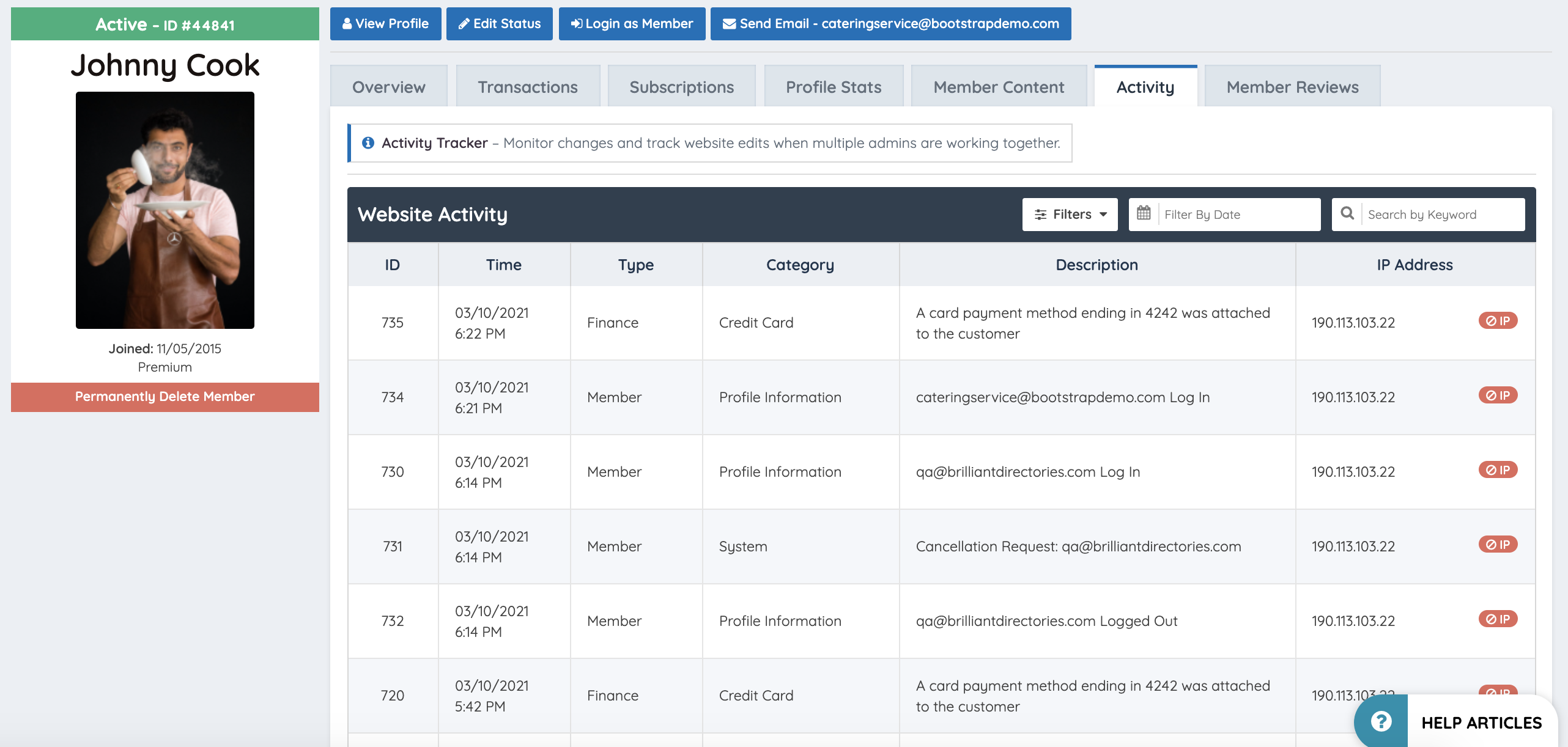
The Activity tab displays a chronological log of all recorded activity events for the selected member. The layout mirrors the global Activity Tracker found under Dashboard, but is scoped entirely to the selected member's account.
Activity records logged in this tab may include login events, profile updates, content submissions, and other system-tracked interactions associated with the member.
Member Reviews
The Member Reviews tab displays all reviews that have been submitted by site users for the selected member's profile. The layout mirrors the global Member Reviews view found under My Members, but is filtered to show only reviews associated with the selected member.
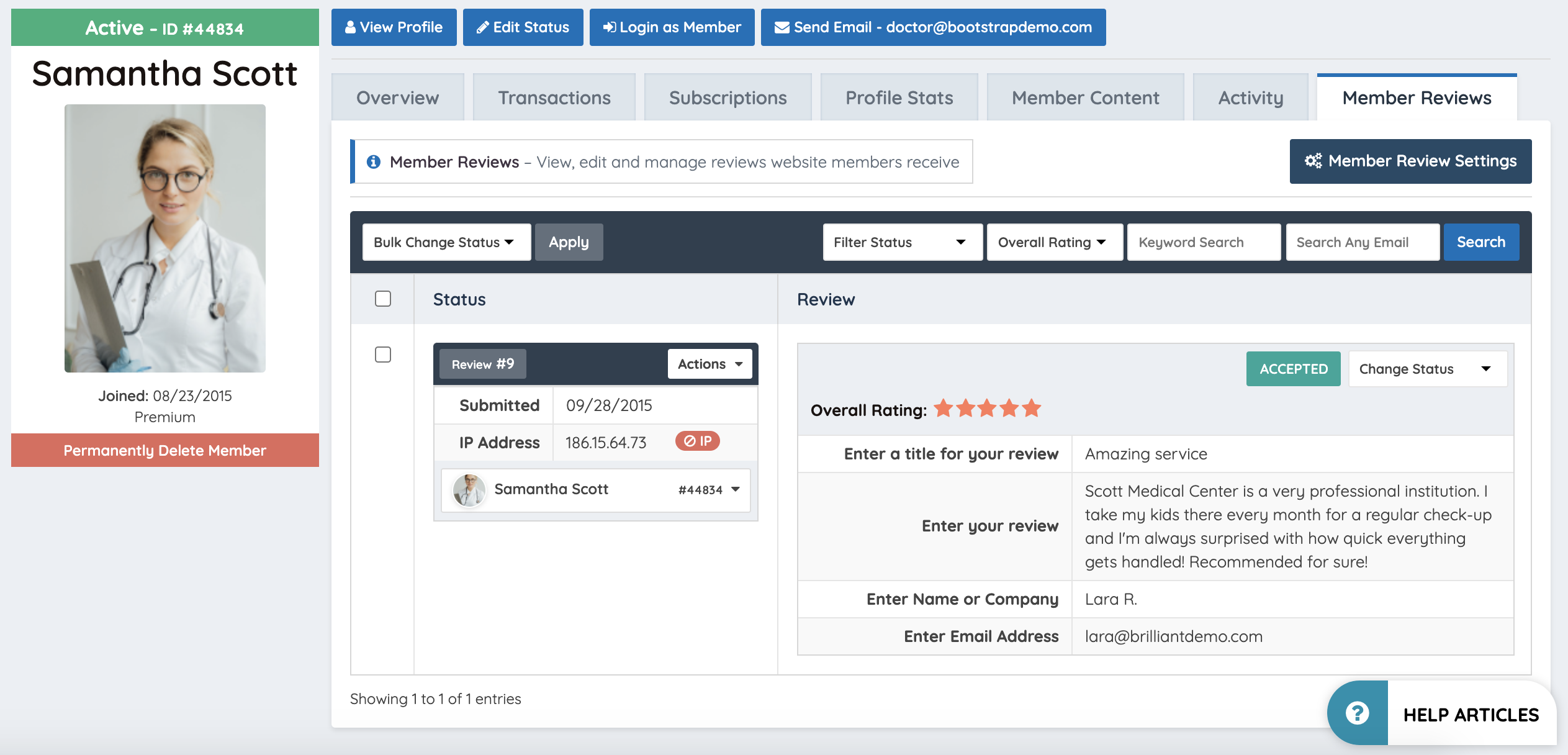
⚠ NOTE — Review Management: Reviews can be moderated from this tab in the same manner as the global Member Reviews section. Any moderation actions taken here apply only to reviews associated with the selected member.
