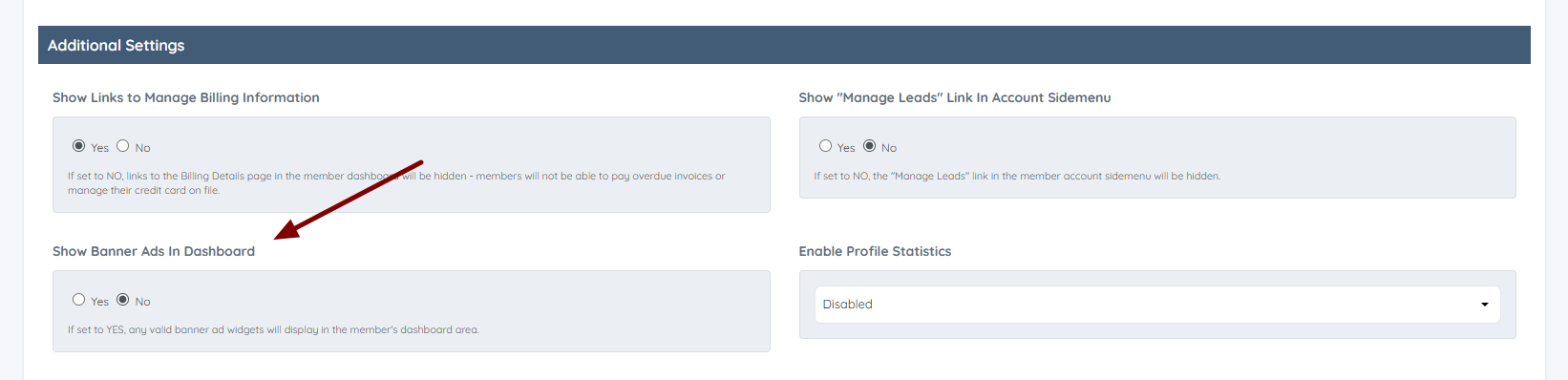
How To Show or Remove Banner Ads From The Member Dashboard
Link: https://support.brilliantdirectories.com/support/solutions/articles/12000055869
If the Banner Ads are enabled on the site, the admin can control whether they are displayed or not inside the Member Dashboard for each membership plan by going to:
Finance » Membership Plans » Edit
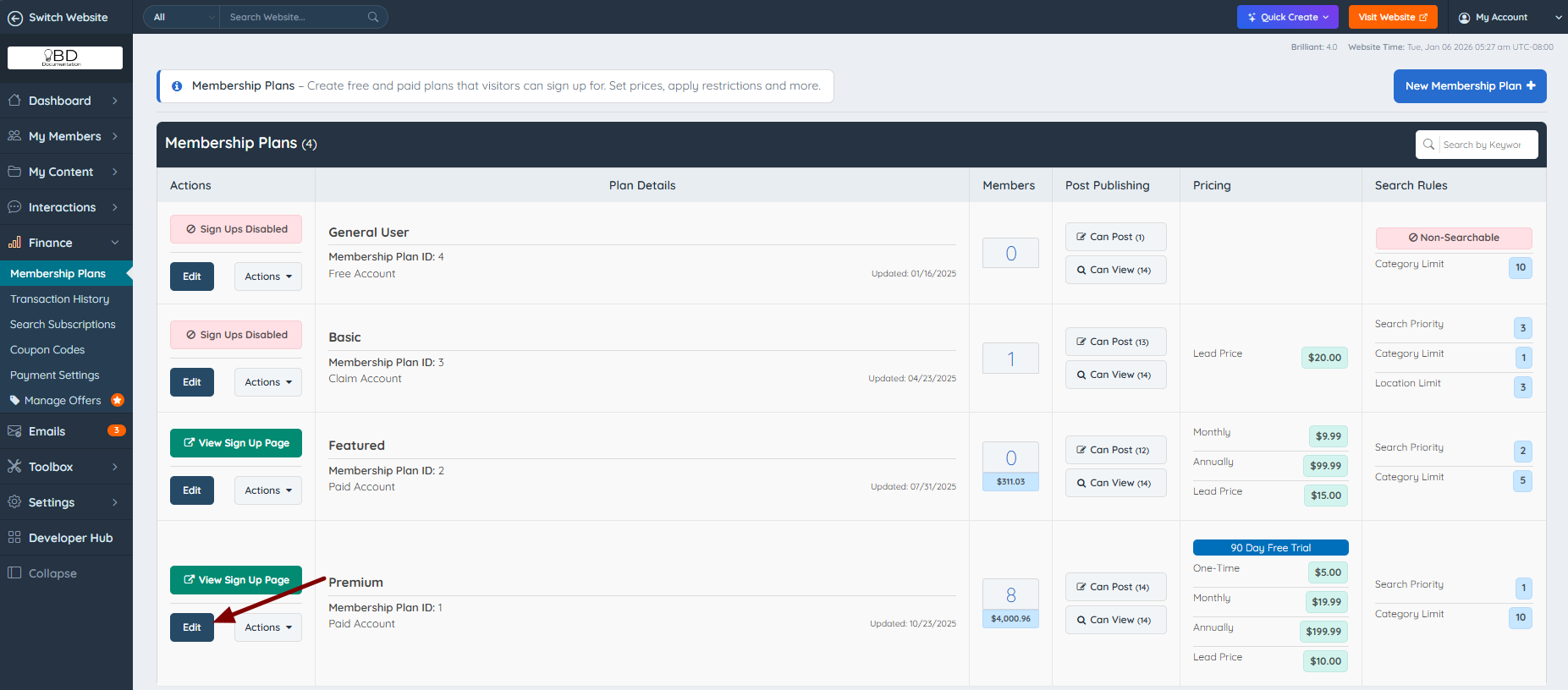
Go to the Member's Dashboard tab:

Then scroll down to the "Additional Settings" section » Show Banner Ads in Dashboard:
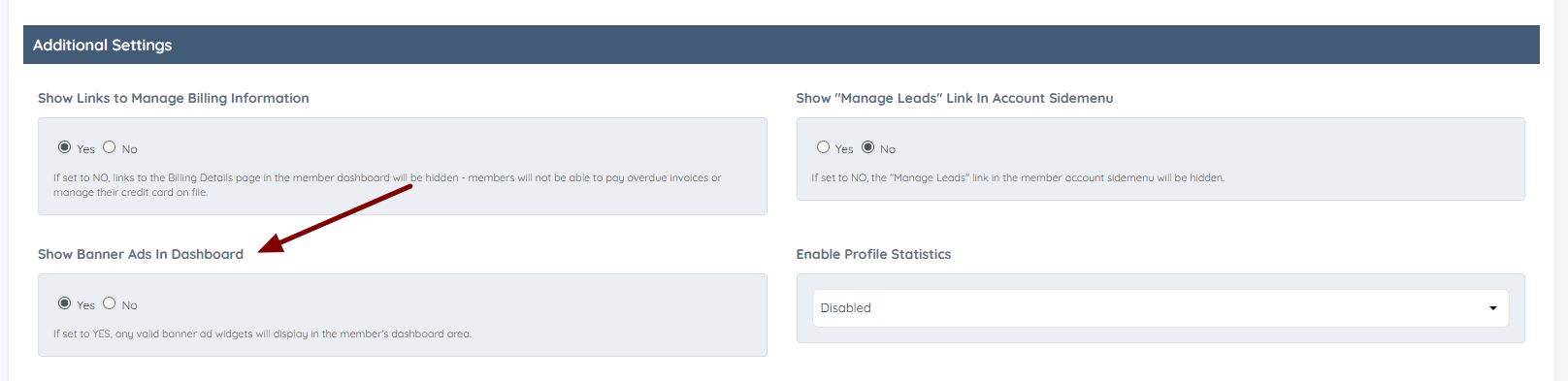
If the Banner Ads are set to "Yes", they will appear on the dashboard:

If it is set to "No", they will be hidden from the dashboard but continue to display everywhere else on the site: