
How To Customize a Form
Link: https://support.brilliantdirectories.com/support/solutions/articles/12000078290
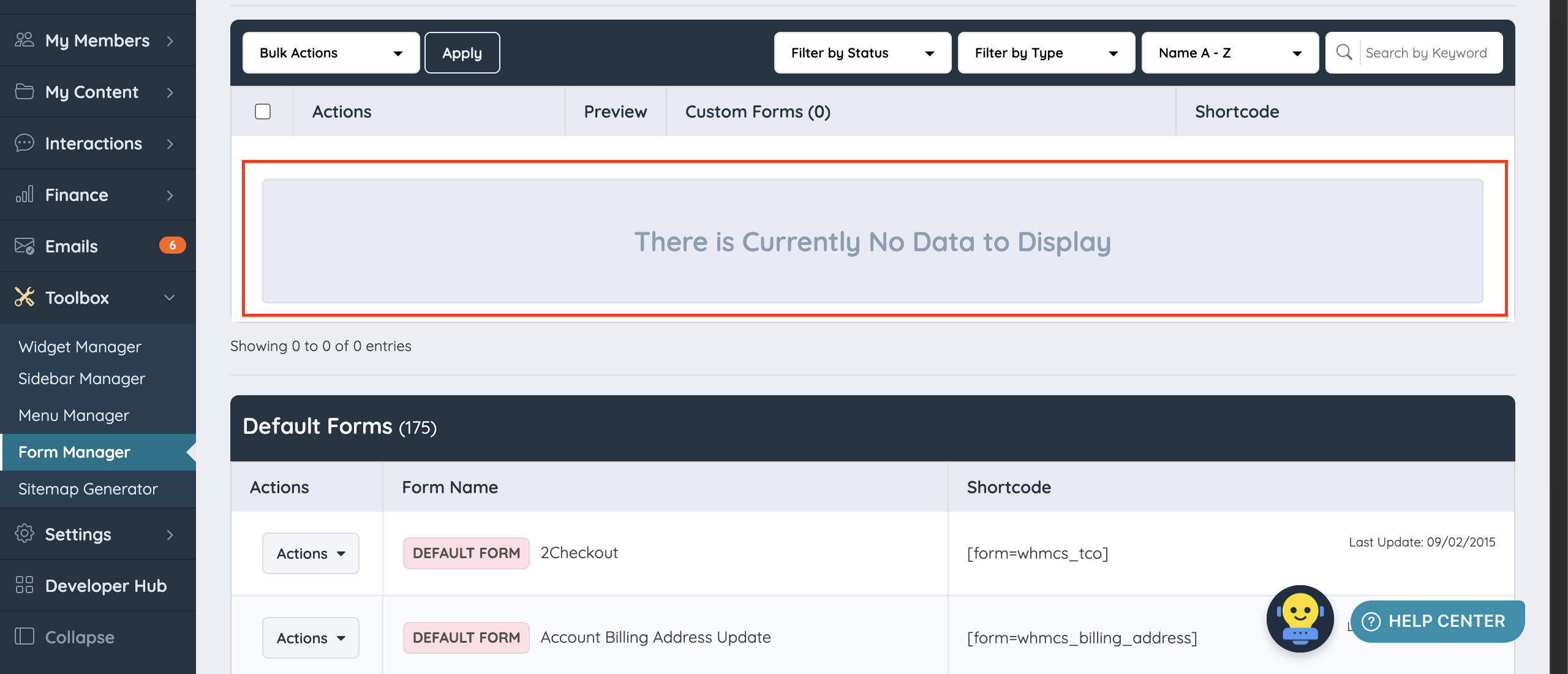
TheBy default, new websites launch without any customized forms:
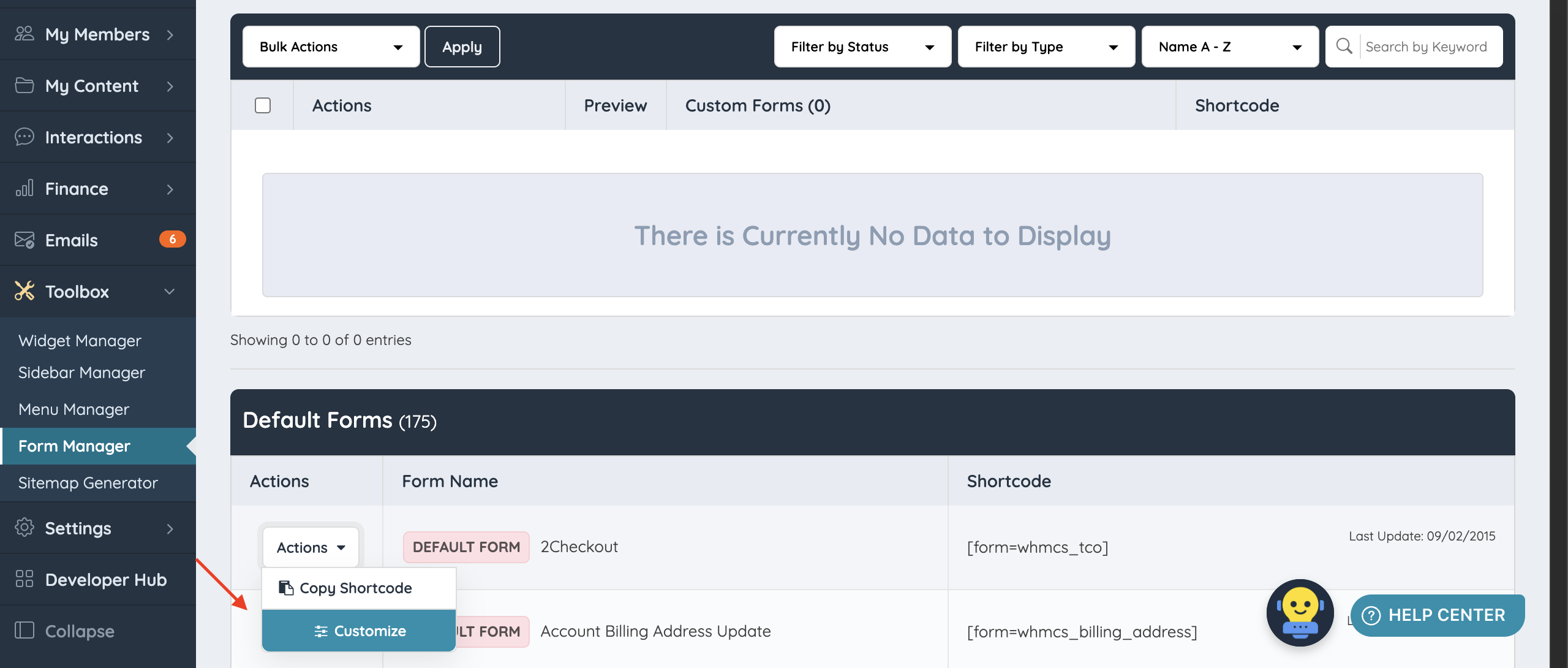
To customize a default form, click Customize under Actions:
This opens the Edit view of the selected form:

What Counts as a Customization
A form is only registered as "Customized" when at least one form field setting is actually changed. Clicking Save Changes without making any changes:

displays an error message, because no changes were made to the default form:

For a form to be considered customized, at least one of these highlighted settings on a form field must be changed:

Additional information: In-Depth Look Into Form Fields And Their Settings
Saving the Customized Form
After making the preferred changes and clicking Save Changes:

The system displays the changes in the Form Preview:

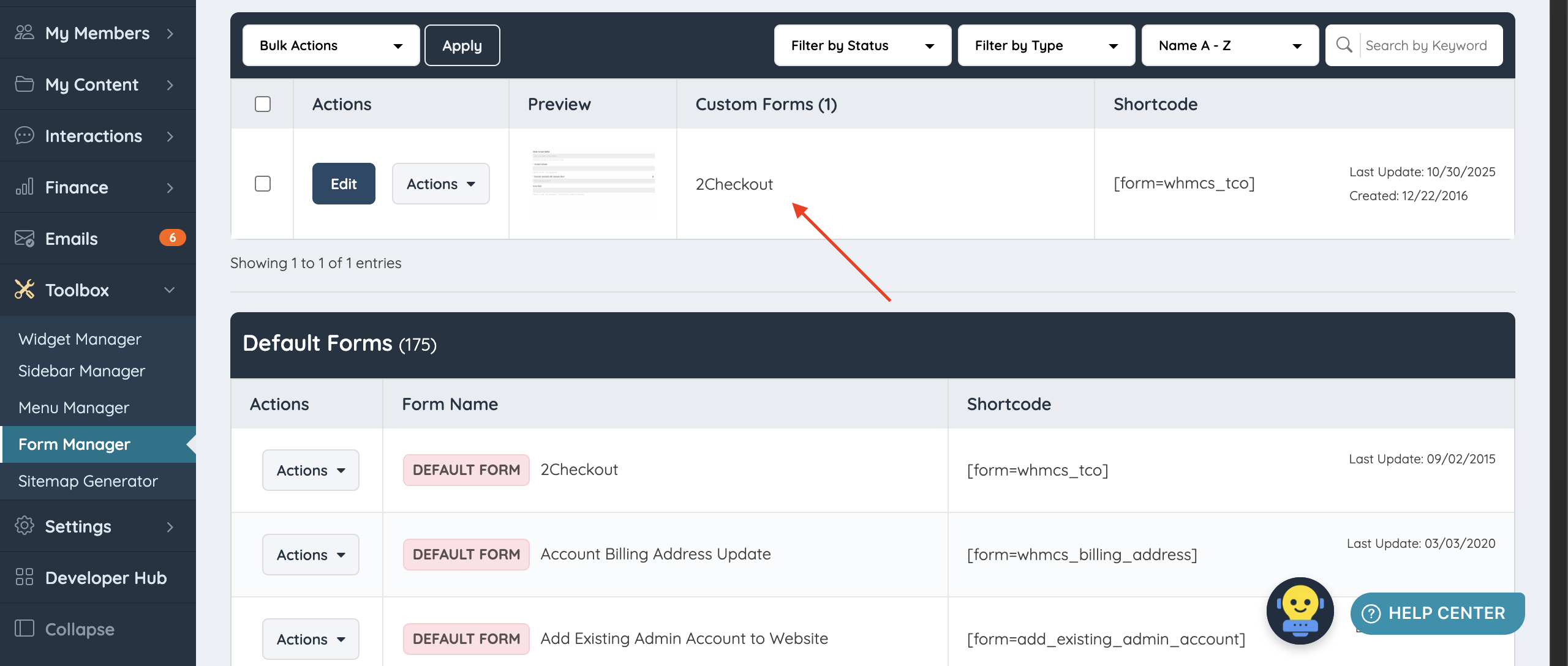
The newly customized form will then display under the Custom Forms section:
Important Note: When to Change the Form's Nickname and Variable Name
Changing the form's nickname and variable name is recommended when:
- The form is a feature form for a cloned or newly created feature that is not a default feature (for example, turning blog articles into website news while keeping the original blog articles feature).
- The form is a listing form for a newly created membership level. Unique form names on each level keep things organized. See How To Assign Different Member Forms To Various Membership Levels.
- The form is a website form that will be called on a custom widget (for example, creating a second Contact Us page).
Changing the form's nickname and variable name is not recommended when:
- The form is a feature form for the existing default feature.
- The form is a listing form shared across all membership levels.
- The form is a website form called on multiple widgets. For example, changing the variable name of the default Contact Us form will stop it from displaying on the front end, because the default widget calls the form by its original system name.
