
Finance » Payment Gateways » Additional Settings » Billing Address Countries
Link: https://support.brilliantdirectories.com/support/solutions/articles/12000047893
This section controls the active and featured countries displayed on paid checkout pages.
Here it is possible to modify the countries that display in paid sig- up forms and choose which countries are displayed or not:

In order to select which countries to display on the section above, go to Finance » Payment Gateways » Additional Settings » Billing Address Countries
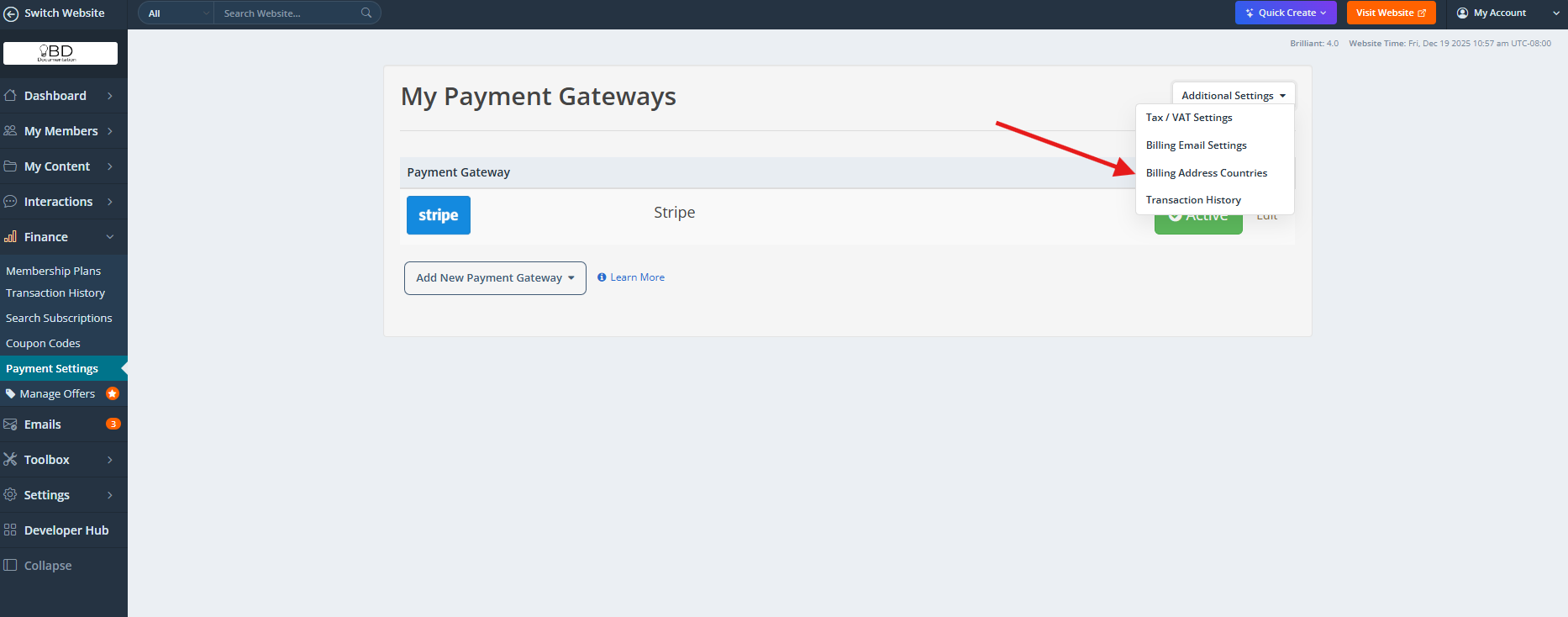
A new page will open where the Active, Featured and Not Active Countries can be selected:
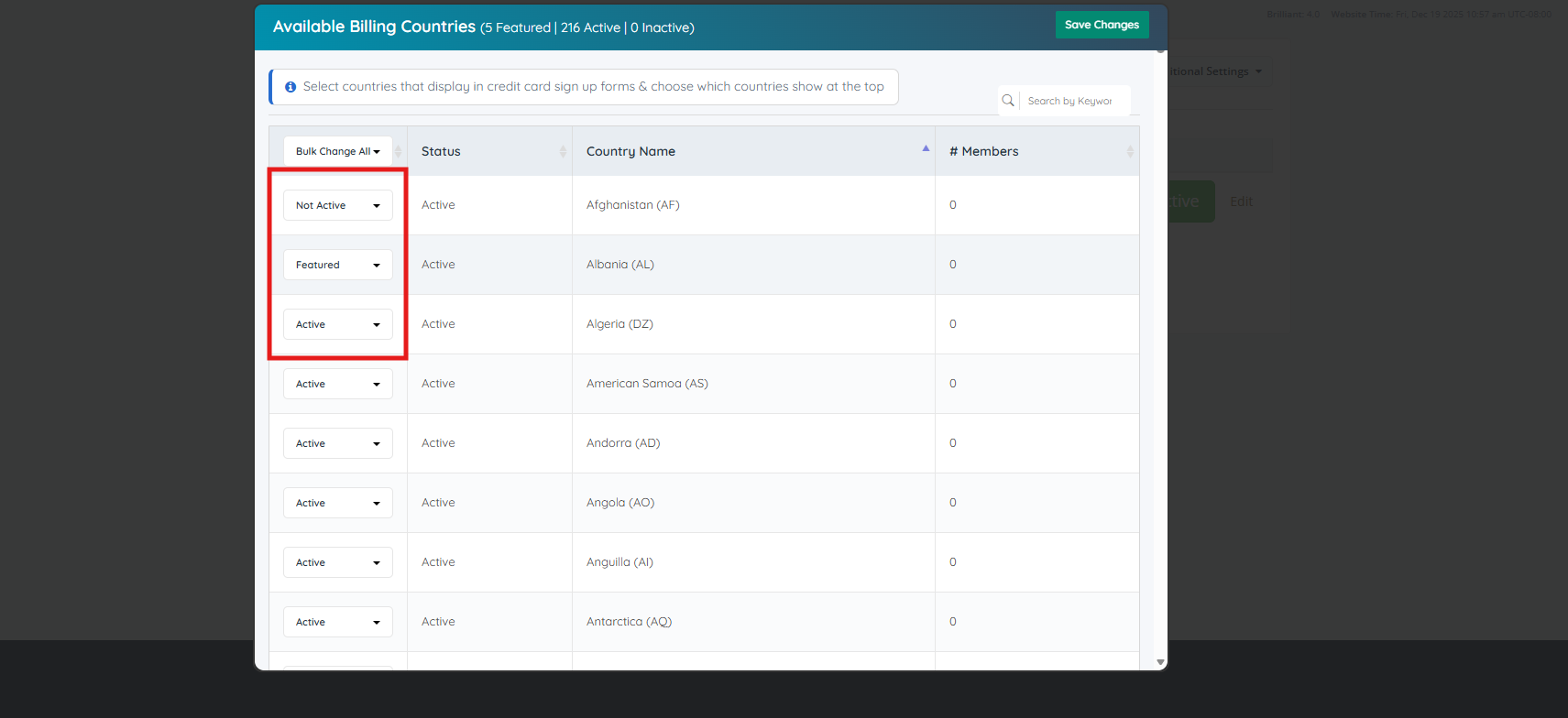
- Not Active (The country is not going to display as an option on the Sign-Up / Checkout Page)
- Active (The country is going to display as an option on the Sign Up / Checkout Page)
- Featured (The country will show up first and so on, on the list)
