
Toolbox » Widget Manager Overview
Link: https://support.brilliantdirectories.com/support/solutions/articles/12000025507
Widgets are the core components of a Brilliant Directories website. They contain most of the PHP, HTML, CSS, and JavaScript that control how the site functions and displays content.
Modifying widget code is often required when adjusting layout, functionality, or specific areas of the website.
Widgets are managed under Toolbox » Widget Manager in the admin area. The page has two tables: Custom Widgets at the top and Default Widgets below it. The search box at the top of the Custom Widgets table searches widget names, code and IDs, and filters both tables at once.
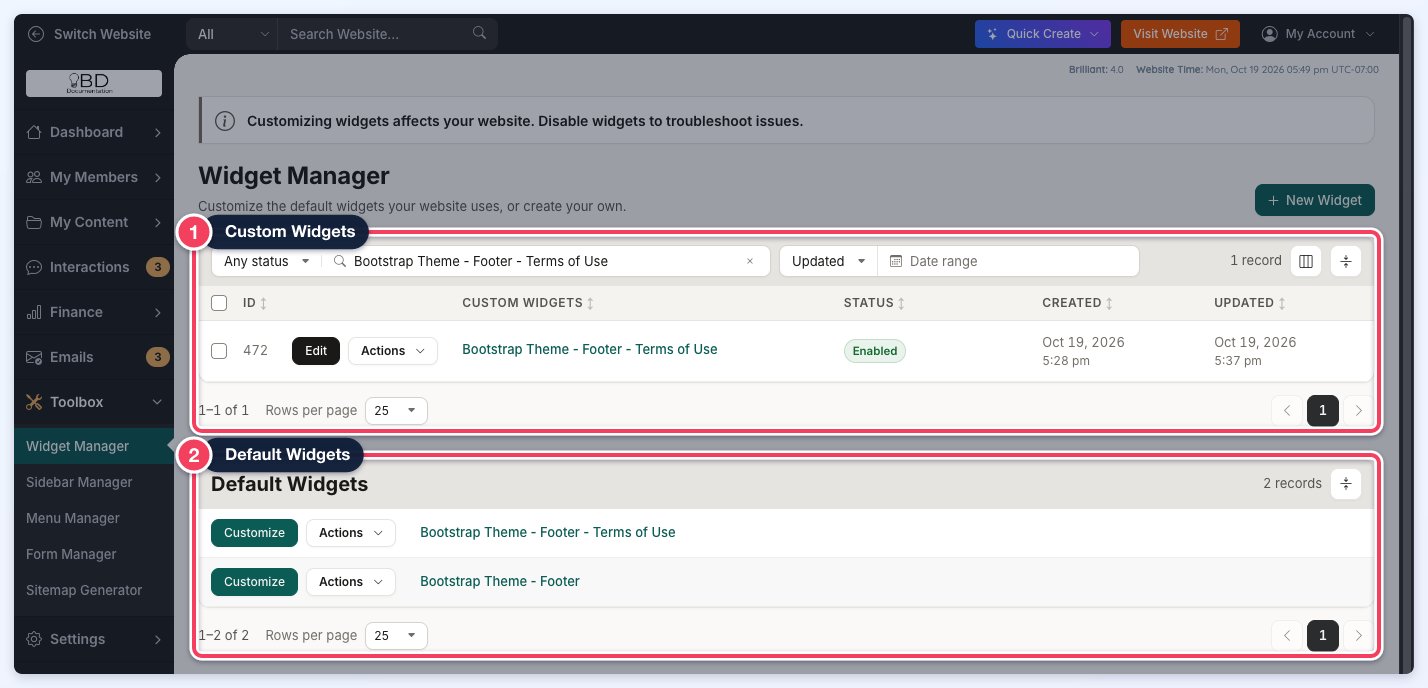
Default Widgets
Default Widgets are stored in a central database that all Brilliant Directories websites reference automatically. These widgets remain up-to-date because they are maintained centrally.
The internal development team updates Default Widgets to support core functionality, introduce new features, and apply improvements. If no customization is made, the website continues to use the latest version of each Default Widget.
Each row in the Default Widgets table has a Customize button and an Actions menu:
- Customize opens the widget's code in a popup so a custom copy can be saved for the website. See How To Customize a Widget.
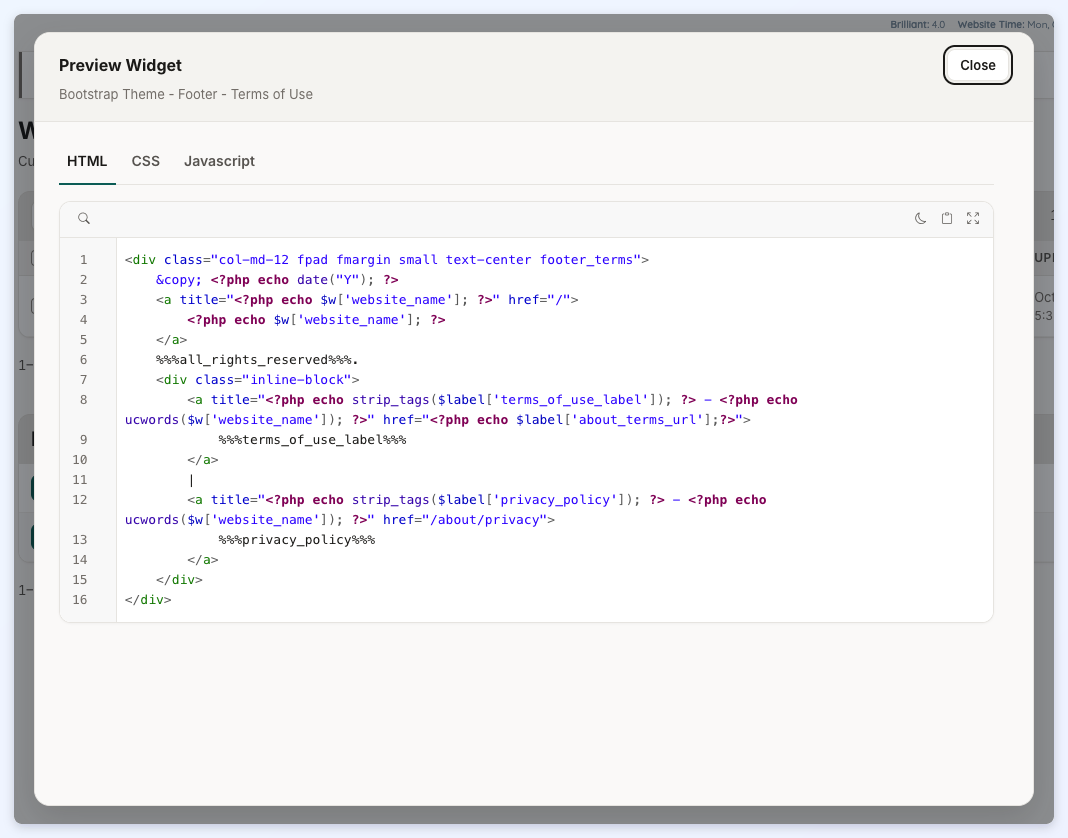
- Preview Widget opens a read-only view of the widget's HTML, CSS and Javascript code. Clicking the widget's name opens the same preview. Click Close to return to the list.
- Copy Shortcode copies the widget's shortcode, EG [widget=Bootstrap Theme - Footer], so the widget can be placed on a page or in another widget.

Custom Widgets
When a Default Widget is customized, or a new widget is created with the New Widget button, it appears in the Custom Widgets table. The table lists each widget's ID, name, Status, Created date and Updated date.
- The Status column shows Enabled, Disabled or Duplicate. Duplicate marks a custom widget whose code is identical to its Default widget. See How To Disable/Enable a Widget.
- The status filter at the top of the table shows Any status, Enabled or Disabled widgets. The date filter beside it narrows the list to widgets Updated or Created within a date range.
- Each row has an Edit button and an Actions menu with Copy Shortcode, Clone Widget, Export Widget, Save History, Disable Widget (or Enable Widget) and Delete Widget. Save History is listed for admins whose role can view the Activity Tracker.
- The checkboxes at the start of each row select widgets for bulk actions.
When a search matches no custom widget, the table reads No Custom Widgets Found while the Default Widgets table still shows its matches.
Edit Widget Tabs
Clicking Edit on a custom widget opens the widget editor. The editor has a tab for each code language, plus a Diff tab on customized widgets:
- HTML: supports HTML, CSS, Javascript and PHP. PHP functions cannot be created in the widget editor.
- CSS: does not need <style> tags and also supports PHP.
- Javascript: needs <script> tags around the code and also supports PHP.
- Diff: compares the custom code with the Default widget (described below).
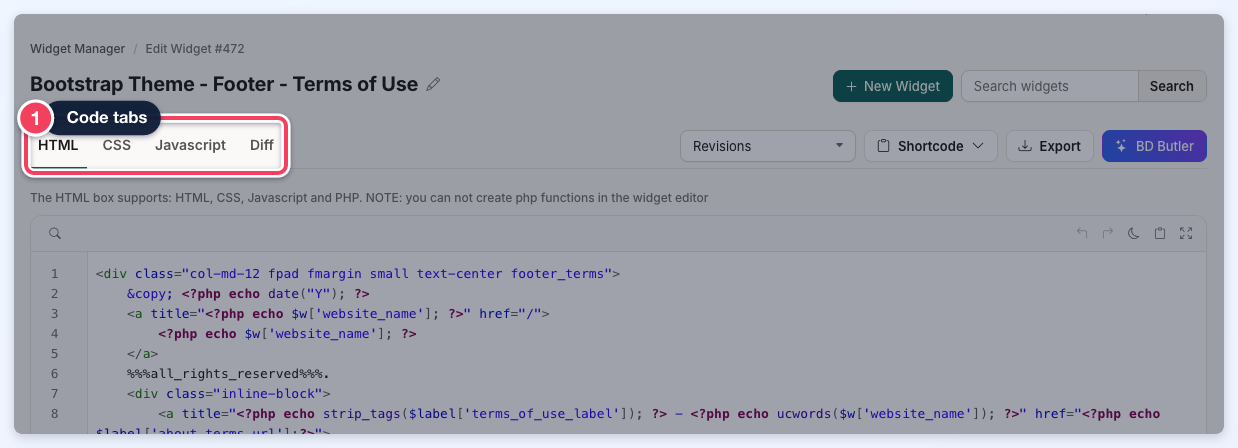
Beside the tabs are the Revisions list of earlier saves, a Shortcode menu (Copy Shortcode or PHP Shortcode) and Export. Clicking the pencil icon beside the widget's name renames it. When the code changes, a bar with Discard and Save appears at the top of the page.
Diff Tab
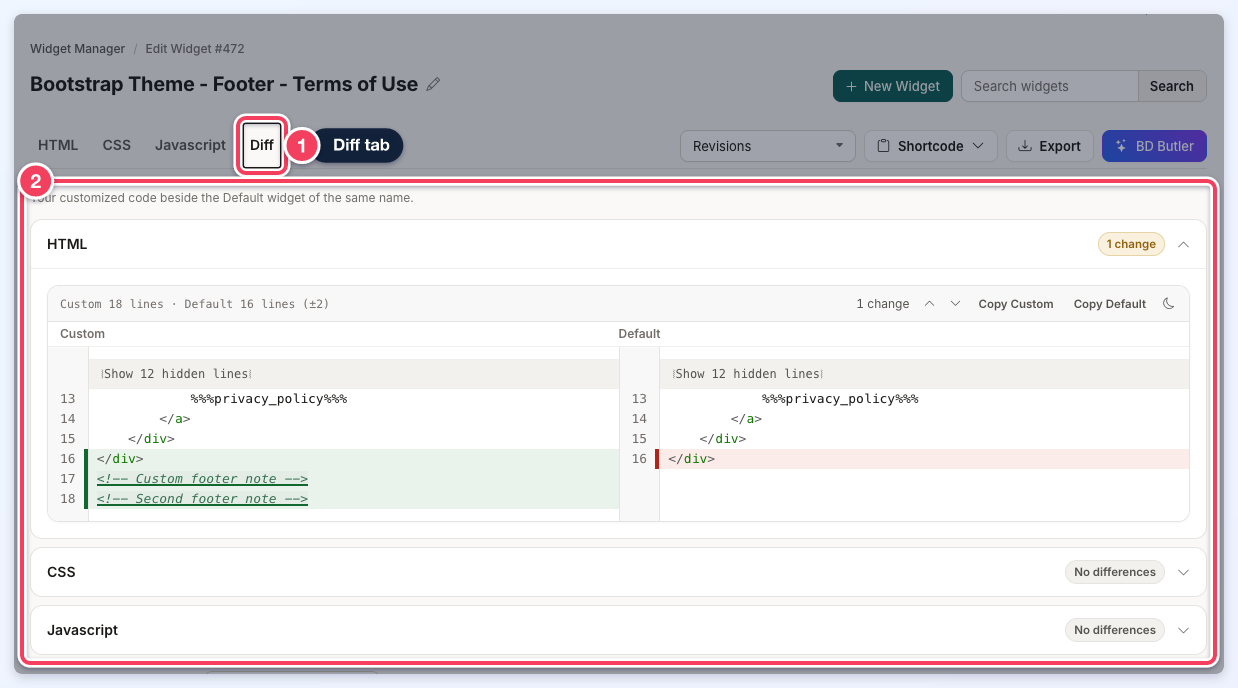
The Diff tab shows the customized code beside the Default widget of the same name. HTML, CSS and Javascript each have a collapsible section labeled with the number of changes, or No differences.
Inside a section, a summary line such as Custom 18 lines · Default 16 lines (±2) shows the line counts. Changed lines are highlighted on both sides, unchanged lines are folded behind a bar such as Show 12 hidden lines, and Copy Custom or Copy Default copies either version.
The Diff tab is only shown for a custom widget whose code differs from its Default widget.
Widget Type
Below the code, the Type of widget (optional) dropdown sets the widget type. Select Widget (Default) for standard functionality. Select Advertisement / Banner when the widget is intended to display banner content.
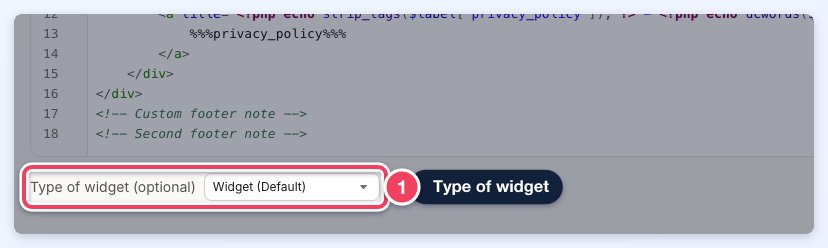
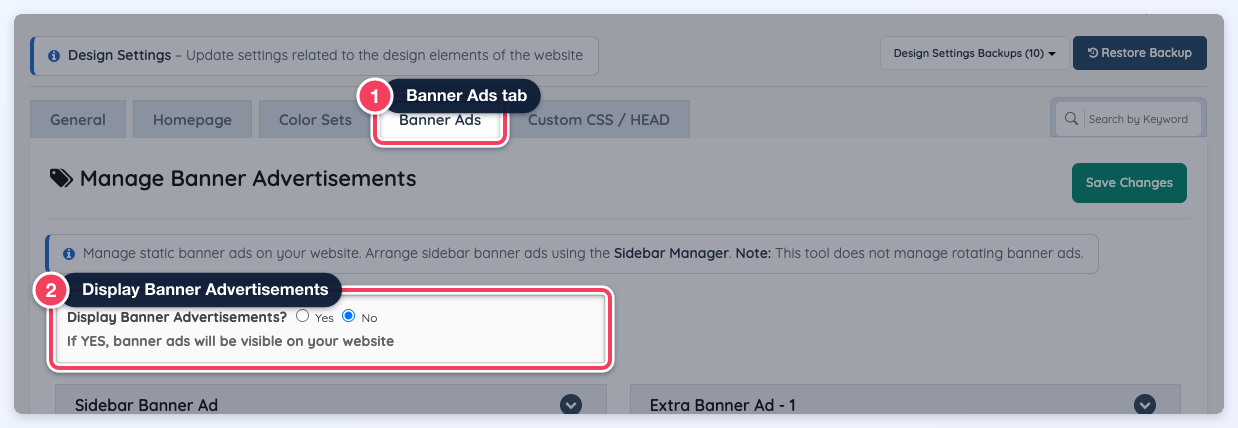
NOTE: If Advertisement / Banner is selected while Display Banner Advertisements? is set to No under Settings » Design Settings » Banner Ads, the widget content is not displayed.
Additional Resources
Some useful articles related to widgets can be found below:
How To Disable/Enable A Widget
