
How To Edit The SEO & Social Media Elements Of A Static Web Page
Link: https://support.brilliantdirectories.com/support/solutions/articles/5000682651
To edit the SEO and Social Media elements of a static Page, follow these steps.
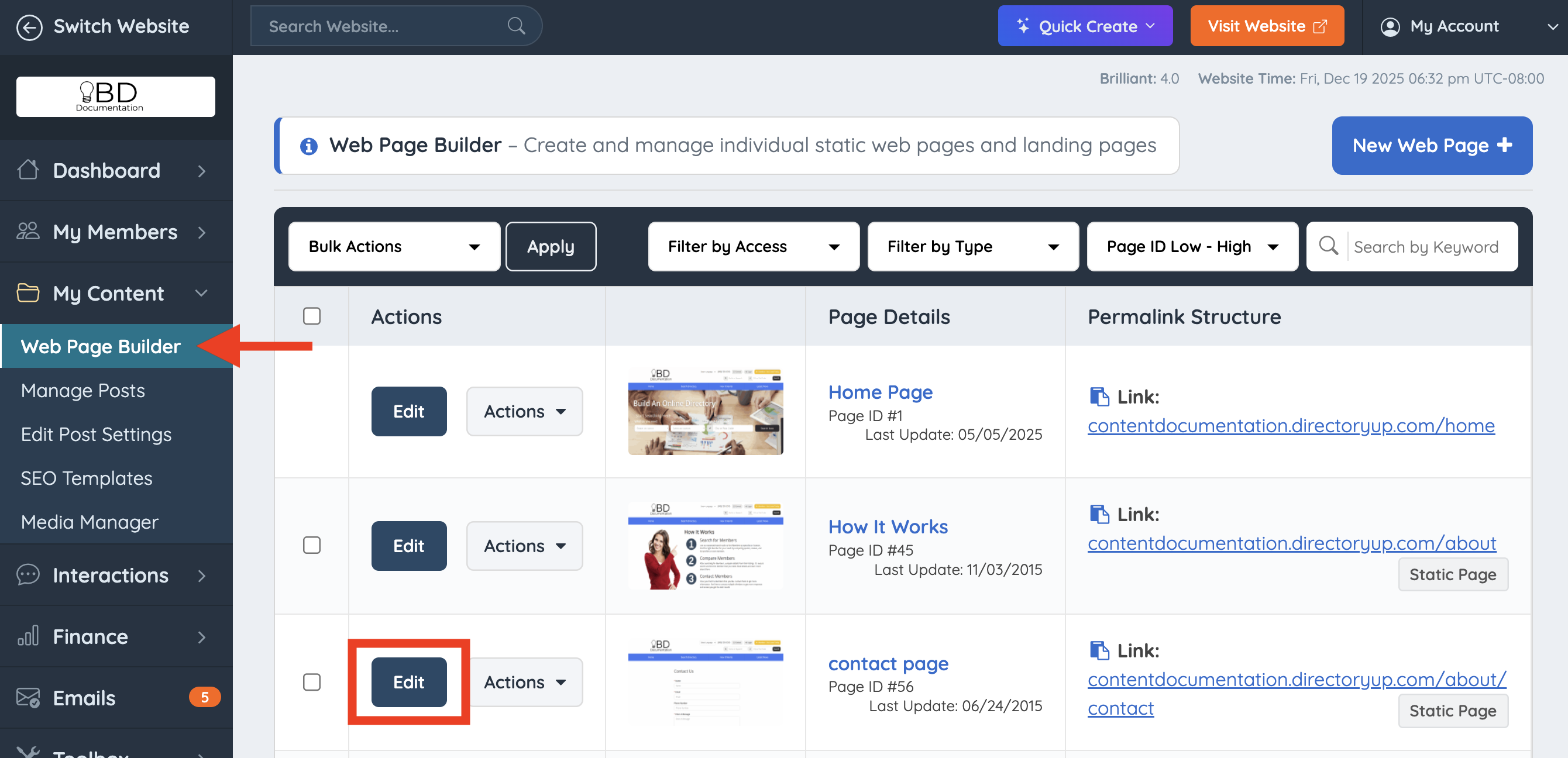
Navigate to My Content - Web Page Builder. Find the static page and click the Edit button to make changes.
SEO Settings
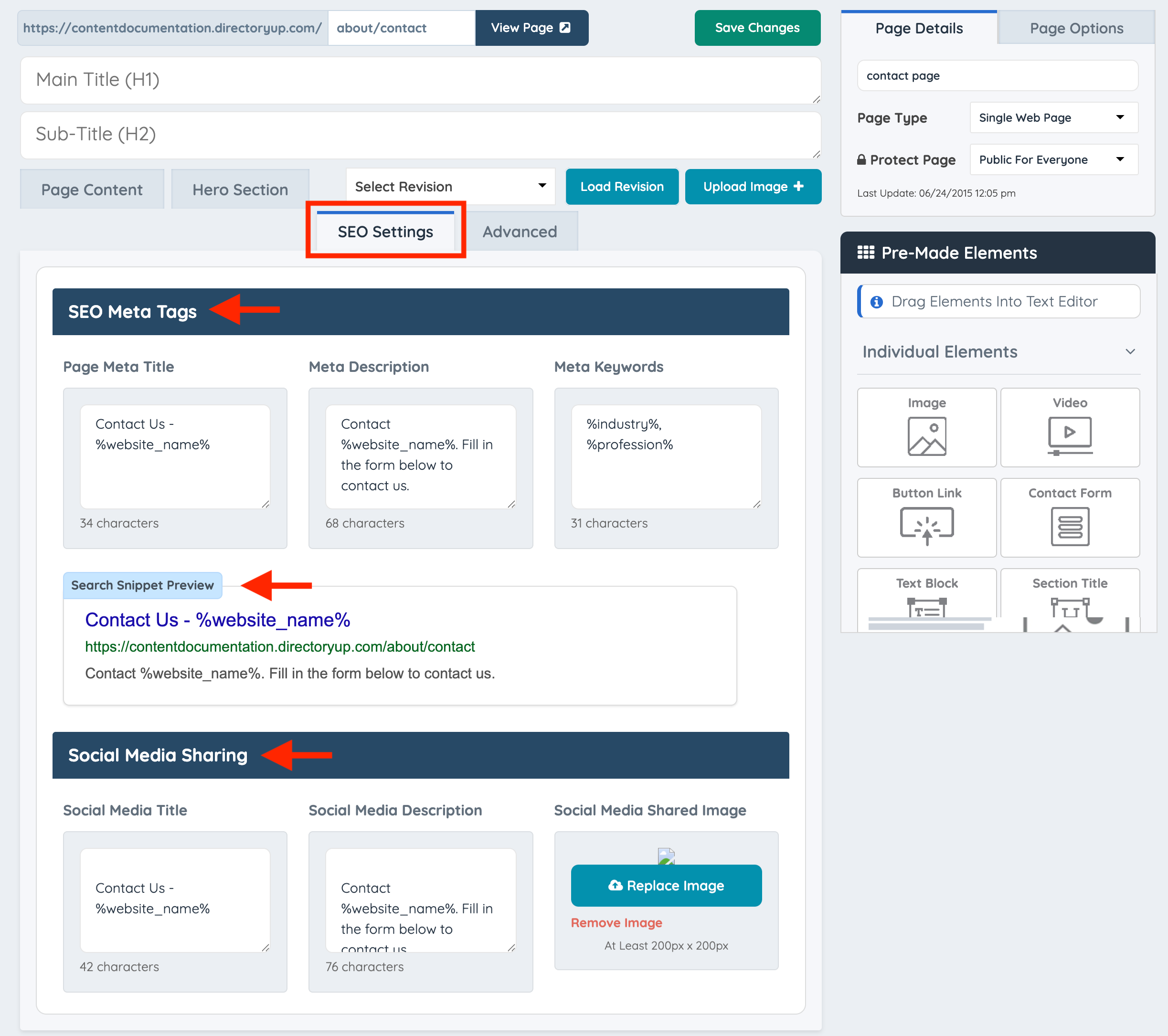
SEO Meta Tags
Add the Page Meta Title, Meta Description, and Meta Keywords for a custom page. Keep in mind that default pages will already have optimized SEO, including Default SEO Variables.
Search Snippet Preview
Provides a preview of how the page will appear in search engine results, such as on Google. This helps illustrate how the page is displayed to others when it shows up in search results
Social Media Sharing
In this section, it is possible to define the Social Media Title, Description, and Shared Image to display when the page is shared on social media. These details are already optimized on default pages, except for the image.
