
Add a Bot to the Robots.txt File (Ahrefs Example)
Link: https://support.brilliantdirectories.com/support/solutions/articles/12000099791
A Robots.txt file controls which web crawlers are allowed to access a website. This article demonstrates how to allow a third-party crawler using Ahrefs as an example.
Adding a Web Robot to the site
To allow a third-party crawler, add the appropriate directives to the Robots.txt file.
The ROBOTS.TXT file can be accessed through:
- Navigate to Developer Hub.
Select Robots File.
The following example allows the Ahrefs crawler. Add these directives to the beginning of the Robots.txt file:
User-agent: AhrefsSiteAudit
Allow: /
User-agent: AhrefsBot
Allow: /
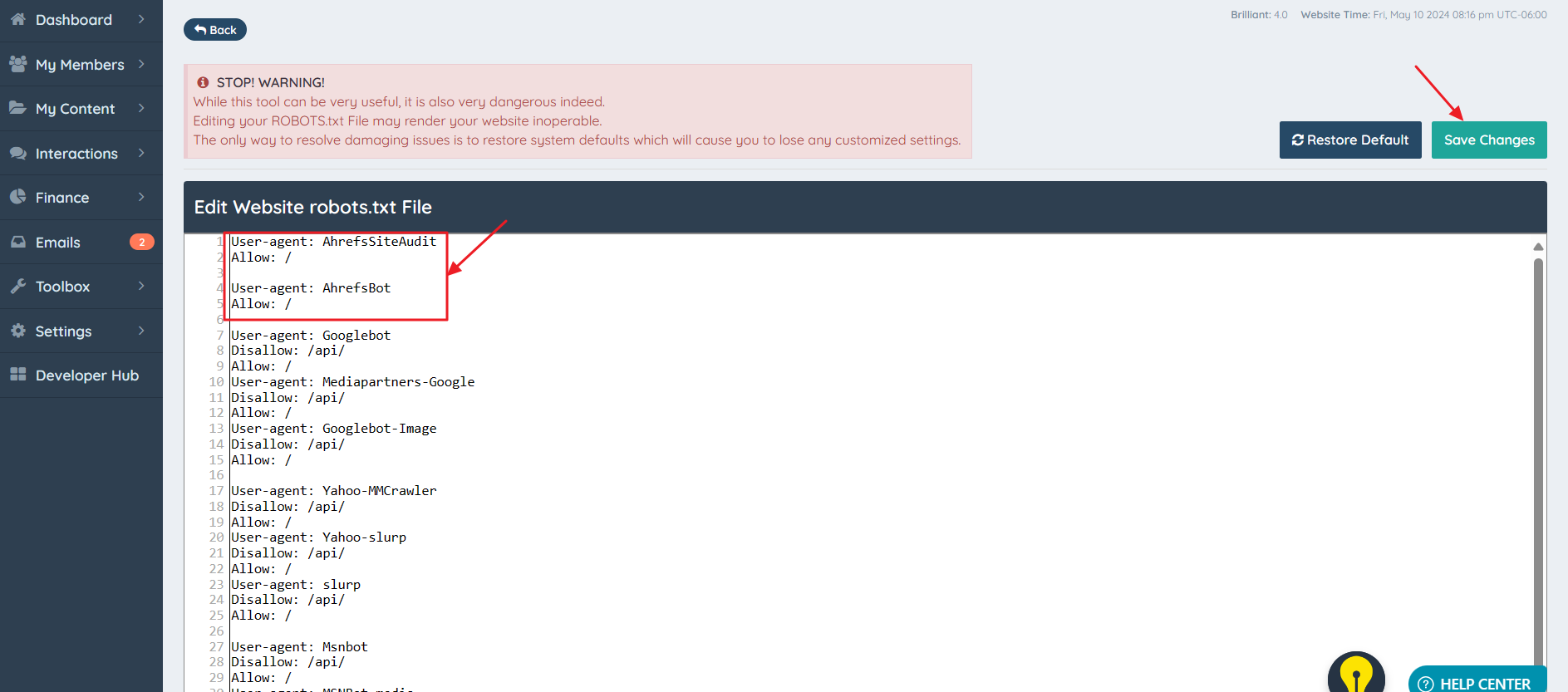
Select Save Changes to apply the update. In this example, Ahrefs will be allowed to crawl the website.
