
Account Dashboard: Activate Site
Link: https://support.brilliantdirectories.com/support/solutions/articles/12000081625
When logged into the Account Dashboard, all licenses that have been purchased but are not yet activated, will display on the Ready to Activate tab.
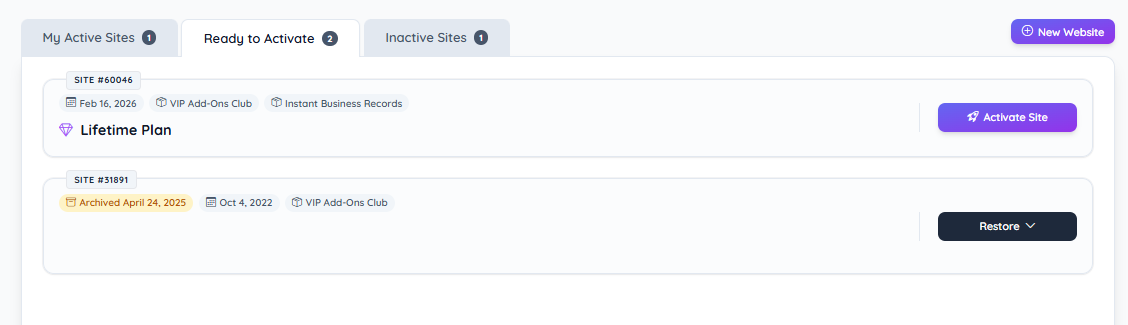
Inactive / Archived Sites Section – Displays websites that are not currently active and require activation or restoration.
Site ID Badge – Displays the unique Site ID assigned to the website.
Status Label – Displays the current site status (e.g., Archived) along with the archive date when applicable.
Website Name – Displays the internal website name.
Website URL – Displays the primary domain associated with the website (if available).
Plan Label – Displays the associated subscription plan (e.g., Lifetime Plan).
Add-Ons Indicators – Displays active add-ons associated with the website (e.g., VIP Add-Ons Club, Instant Business Records).
Creation Date – Displays the original website creation date when available.
Activate Site Section
Activate Site Button – Initiates the site activation process for websites eligible for activation (e.g., Lifetime Plan sites).
Activation Process – Re-enables the website and makes it accessible under the associated plan configuration.
Restore Site Section
Restore Button (Dropdown) – Initiates the restoration process for archived websites.
Restore Process – Reinstates the archived website to active status, preserving previous configuration and associated data where applicable.
There are two reasons an account will have Websites to Activate. The first reason is it's a brand new, recently purchase license that has not yet been activated.
The second reason is a previously-active website has been converted into a credit because it has not been actively used for a long time, or the license owner requested it be converted to a credit.
Activate Site
Credits related to a license that has never been used for an active website will not have a backup of a previous website associated with it. In these cases, the purple button will have a single option: "Activate Site":

*Clicking on this button will launch a new website.
Credits Related to a Previously Active Website
When a previously active website is converted to a credit, a full backup of the site is made first, and will be available for up to one year from the date it was converted to a credit.
If a credit is related to one of these websites, the green button will be a dropdown with the following options:
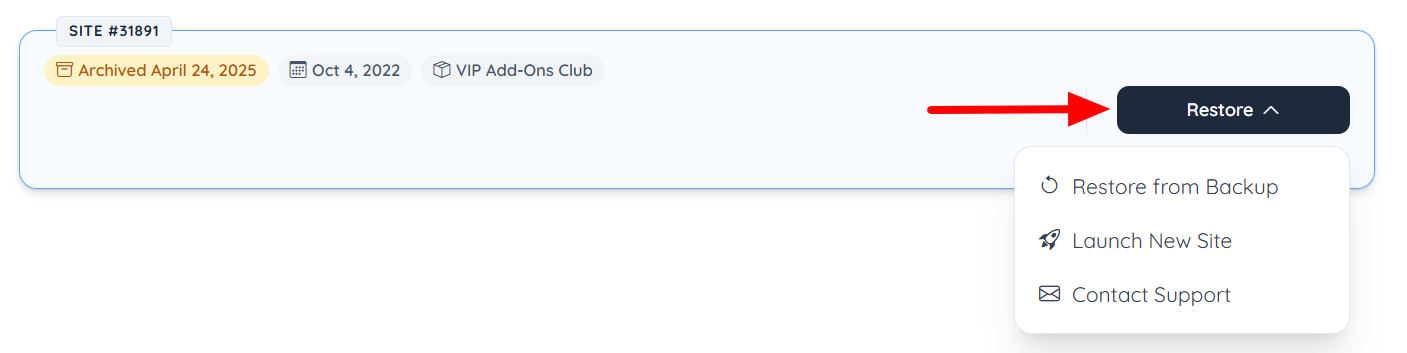
Restore Website from Backup
Choosing this option will re-launch the website exactly as it was before it was converted to a credit.
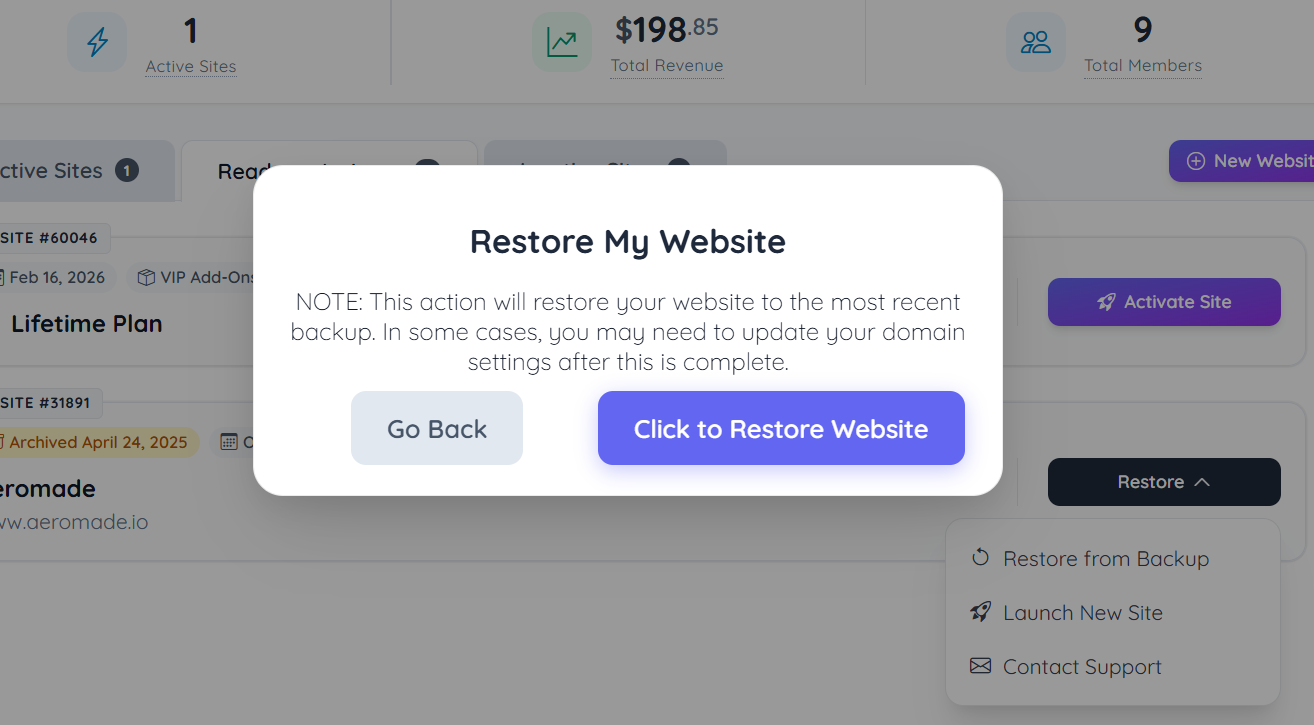
Launch New Site
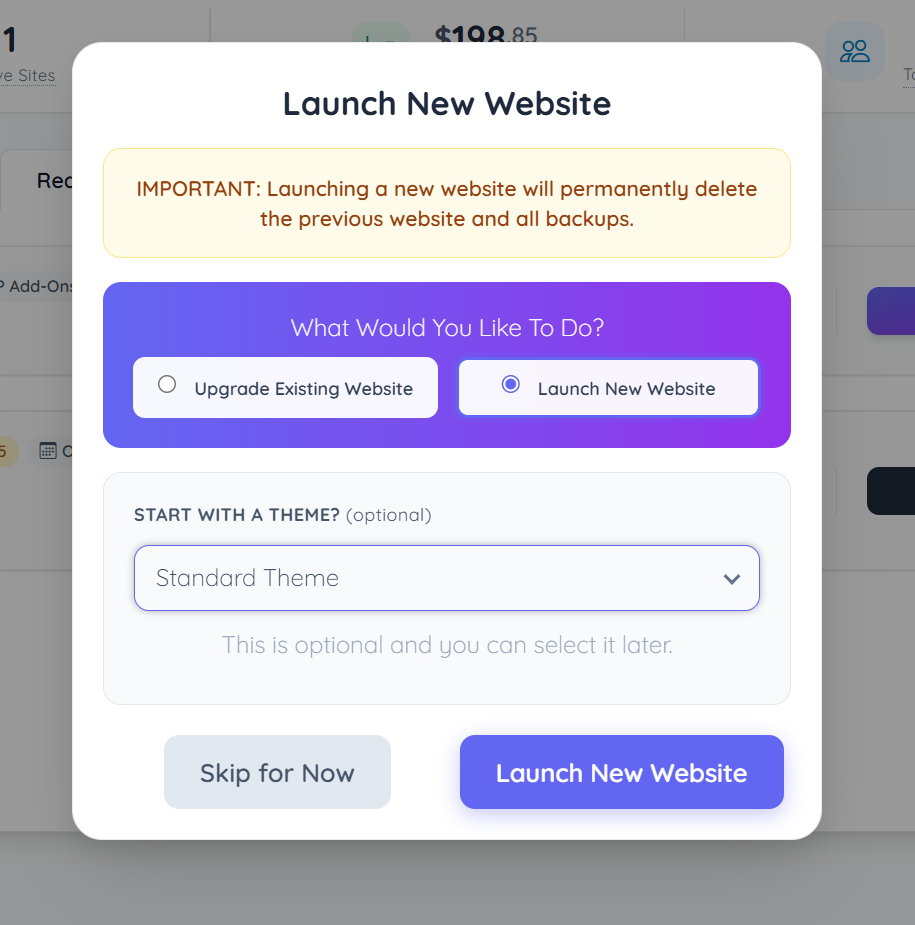
Choosing this option will delete the backup of the previous website and launch a brand new website. Select this option if the previous site is no longer needed and a brand new website should be launched instead.
Upgrade Existing Site
This will use any back up saved on file.
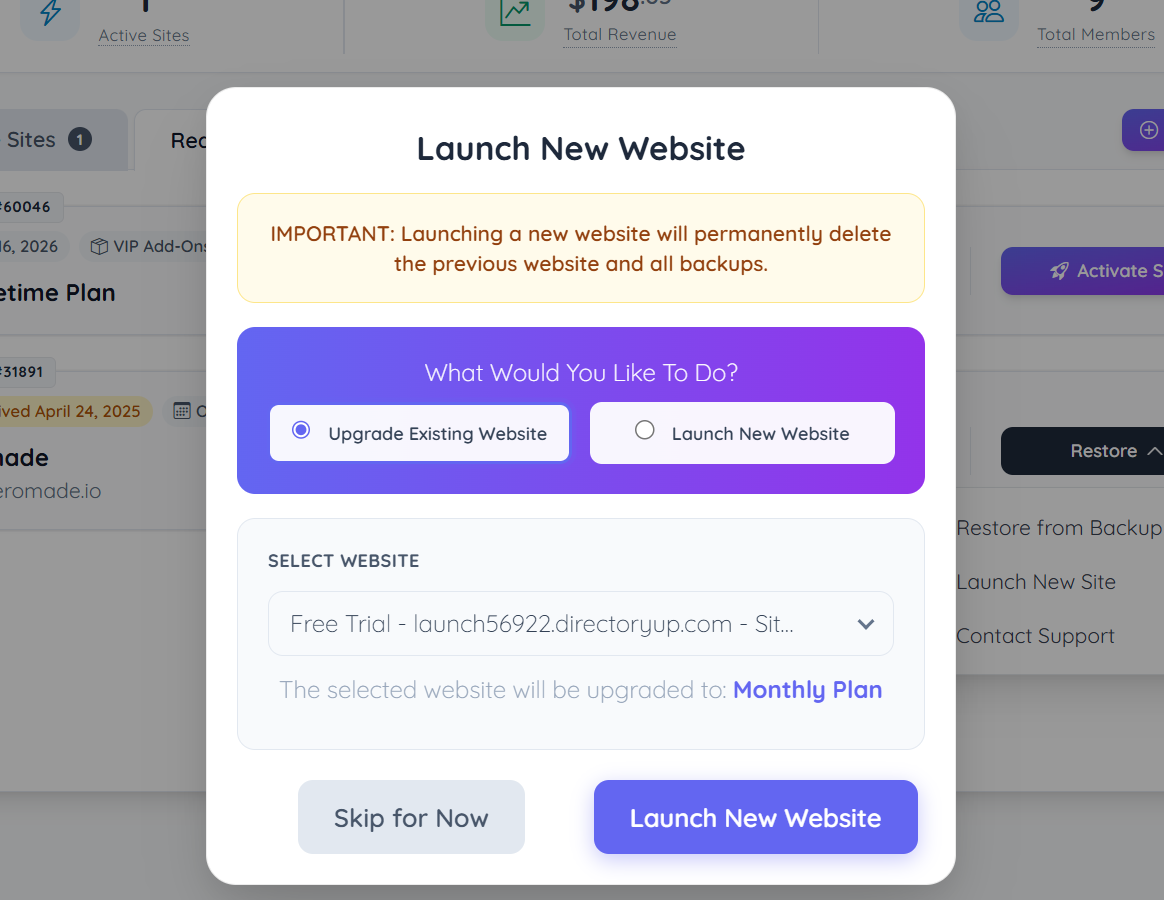
Launch New Website
Select from any of the available themes (optional).
Contact Support
Choosing this option will allow the site owner to submit a support ticket for additional assistance.
