
Set Up The WWW or Non-WWW Version Of The Domain
Link: https://support.brilliantdirectories.com/support/solutions/articles/12000080325
Set the WWW or Non-WWW Version of a Domain
A live domain can display either www.example.com or example.com as its preferred public address. Visitors to the other version are redirected to the selected style.
Change the Setting in Domain Manager
- Open Settings > Domain Manager > Domain.
- Find Web address style.
- Select Change.
- Choose With www. or Without www., then click Save this style. Links across the website are rewritten, and the website stays online throughout.
Without www. can be saved only when the address without www (such as example.com) already reaches the website. Until it does, Domain Manager explains what to point first and keeps the www version. A forwarding rule at the registrar does not meet this requirement, because it would send visitors back and forth between the two addresses; point the root domain itself at the website instead.
The connection wizard asks the same question during Check It. On the A domain name I own route, How should your address appear? appears under the address box as soon as a root domain such as example.com is typed, with or without www. The domain is always connected as www.example.com; the choice decides which version visitors land on. If Without www. is chosen but the root domain does not reach the website when the switch runs, the website stays on the www version and Domain Manager says so. A domain selected from a connected Cloudflare account uses its www address; change it here afterwards if needed. The choice is not shown for a true subdomain such as members.example.com.
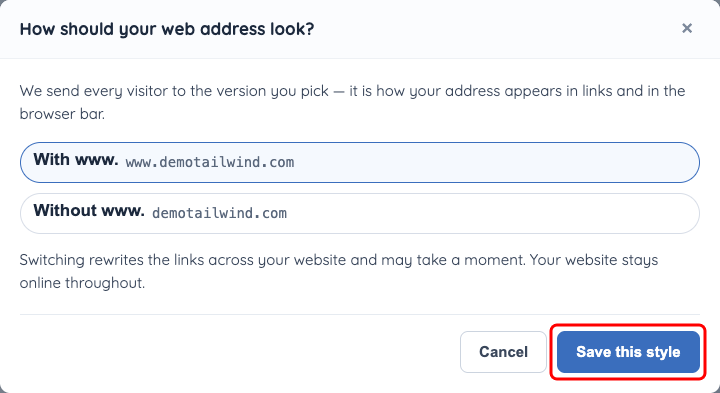
The Web address style dialog offers the www and non-www versions of the connected domain.
Alternative: URL Rules
The preferred version can also be changed from the existing URL Rules setting in Advanced Settings. Search for WWW or Non-WWW or the system variable preferred_domain, select the preferred style, save the change, and refresh the HTAccess File if that screen instructs it.
