
My Members » Smart Lists
Link: https://support.brilliantdirectories.com/support/solutions/articles/12000071871
Smart Lists can be created based on member search results using the filters available in the Search Members section under My Members. Smart Lists must be generated directly from search results; they cannot be created by manually selecting individual members.
To begin, navigate to My Members >> Search Members and execute a query using any combination of the available filters. Once the search results are displayed, the option to save them as a Smart List will be available.

More information about this section can be found in the article linked below:
Create Smart List
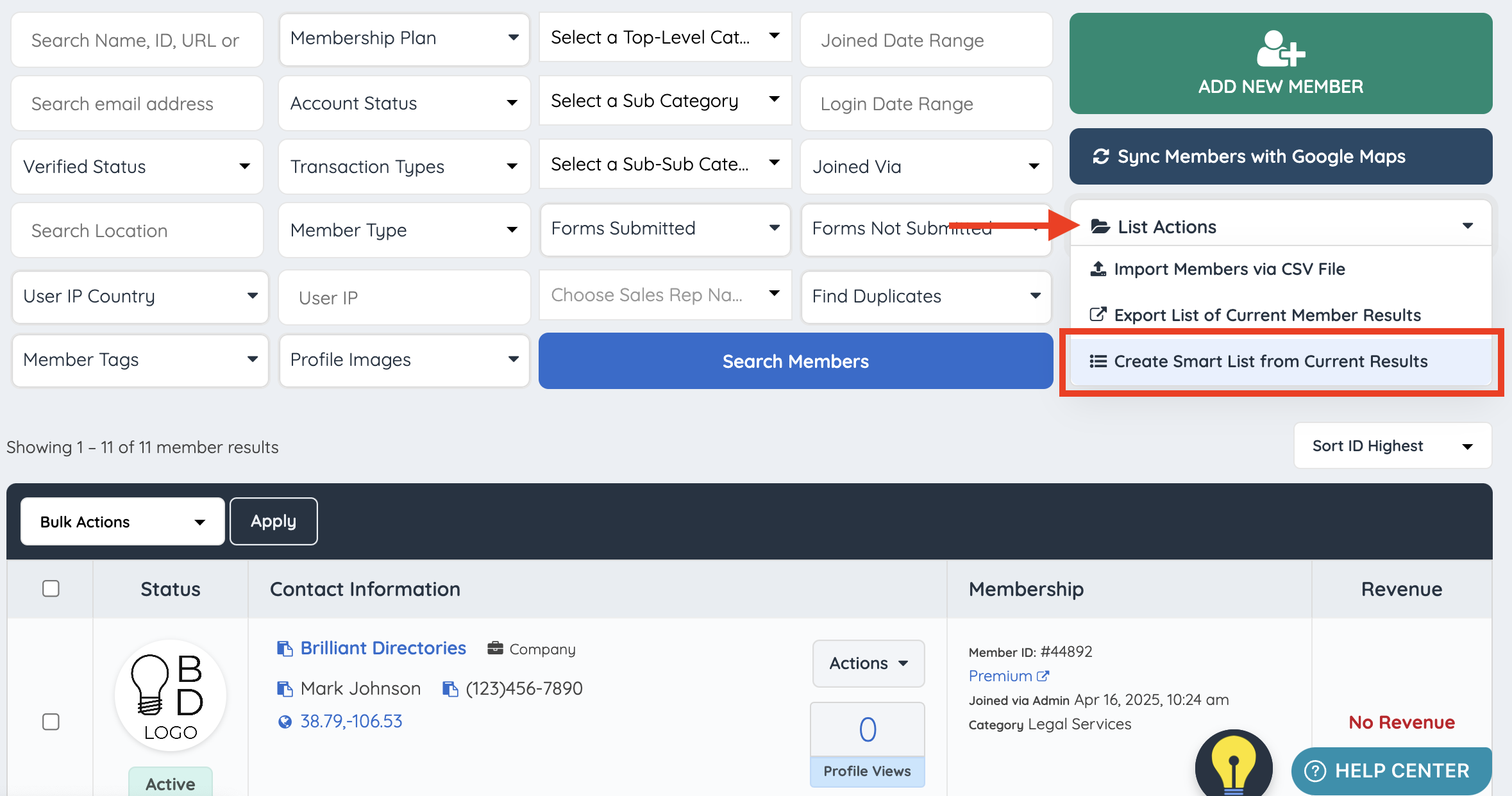
Once a search for members has been completed, a smart list can be created of this result by clicking on the Create Smart List from Current Result option:
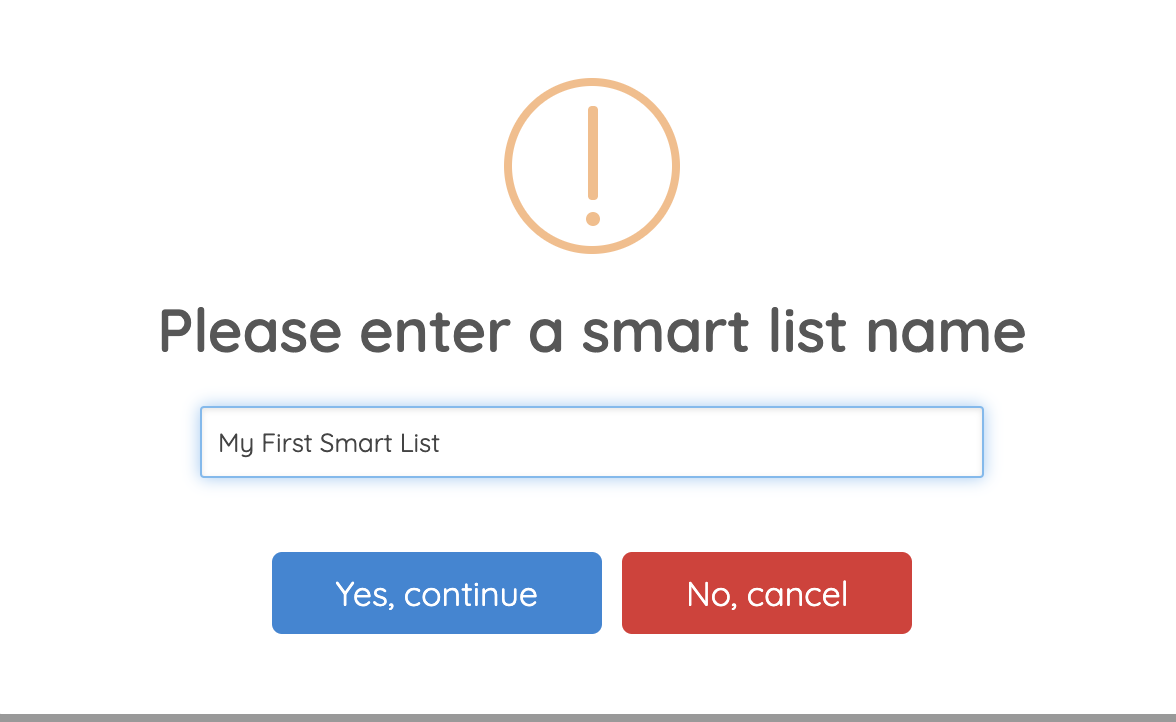
Once clicked, a module will display where the name of this smart list can be specified:
The following success message will show up once the list has been created successfully:

View/Edit Smart List
To view and edit the newly created list, navigate to My Members >> Smart Lists
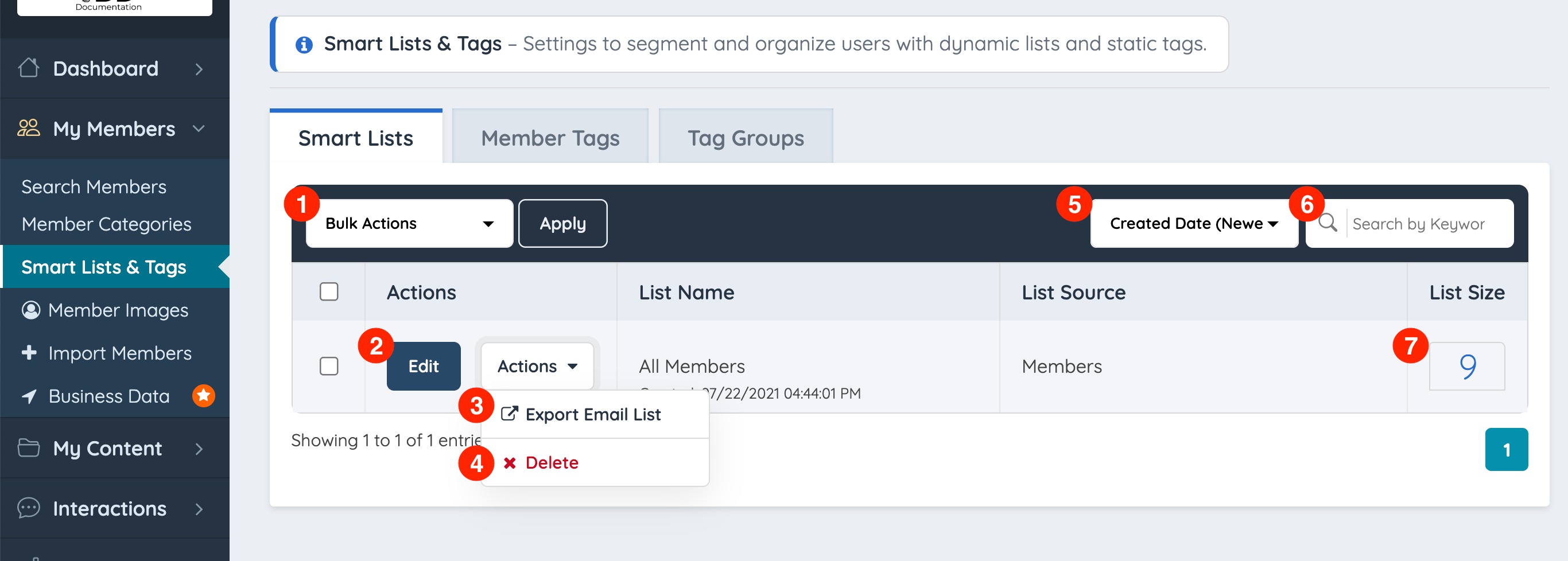
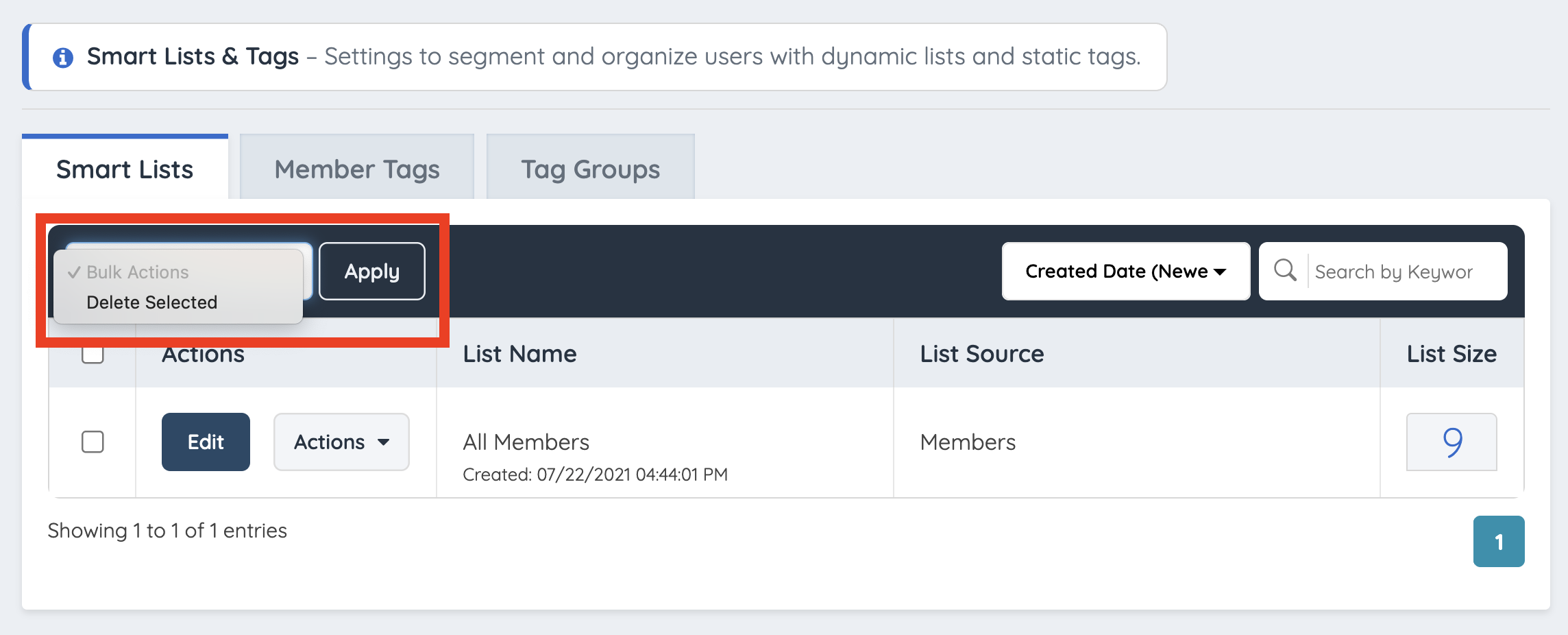
Bulk Actions
Provides a single bulk action, Delete, which is useful for removing multiple smart lists at once.
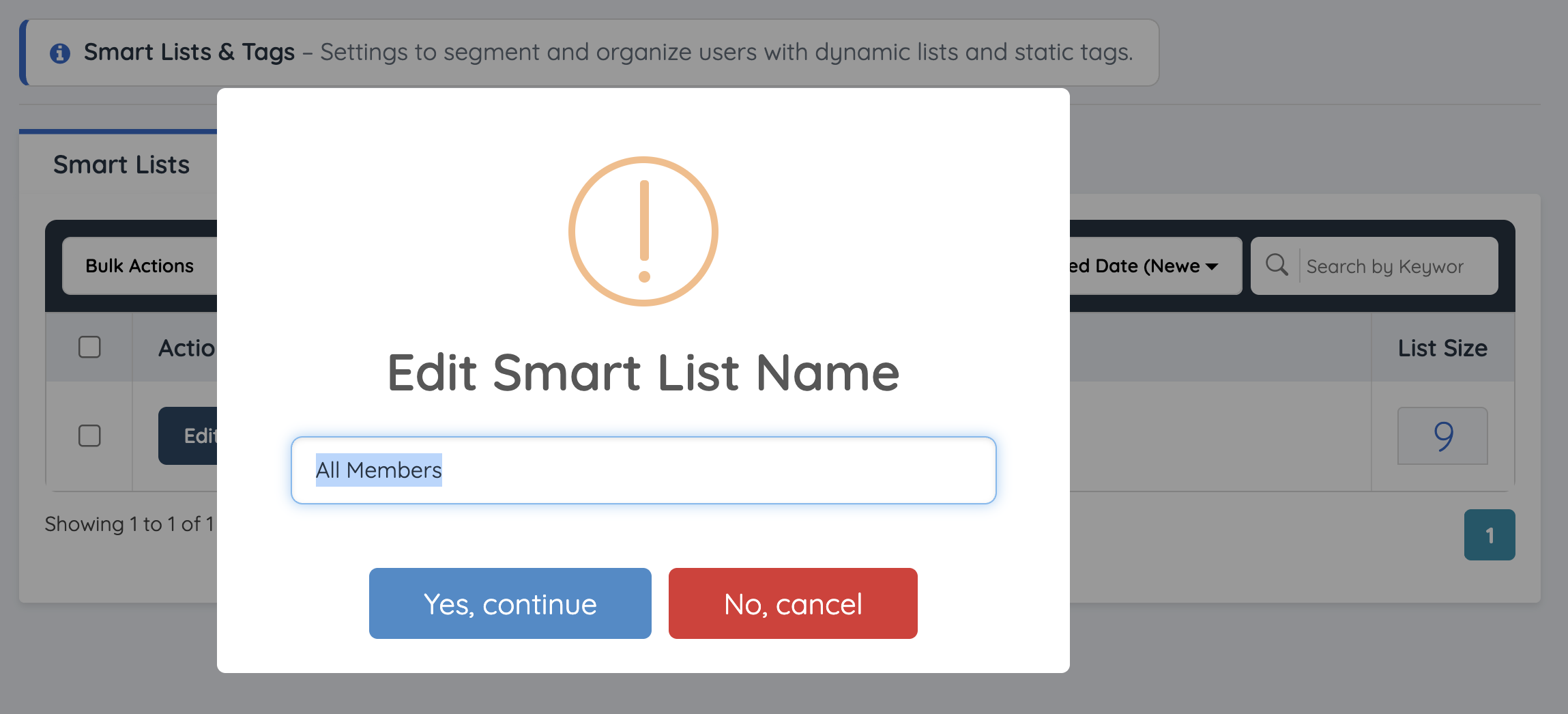
Edit
Opens a window allowing the admin to rename the smart list.
Export Email List
Exports the smart list into a downloadable CSV file (requires the Export Member Data Add-On to be active).
Delete
Manually deletes a single smart list at a time.
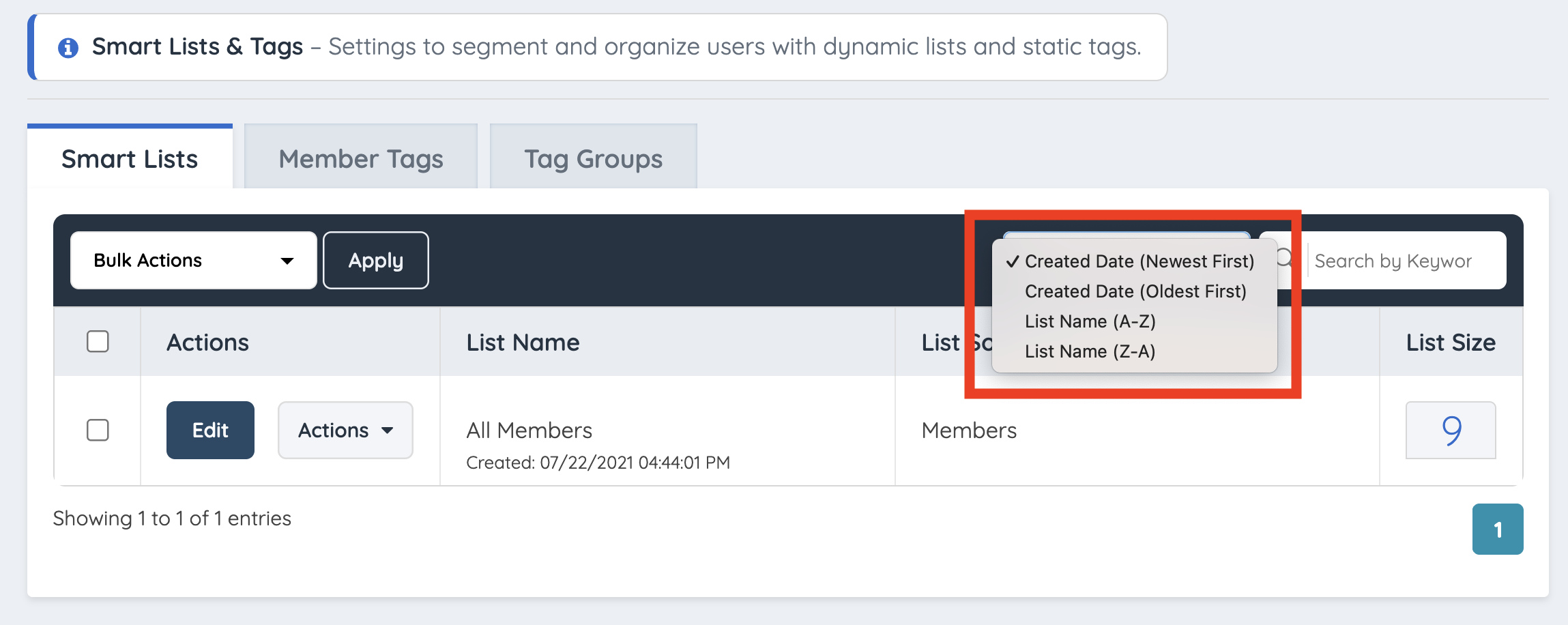
Sort Filters
Offers four sorting arrangements:
- Created Date (Newest First)
- Created Date (Oldest First)
- List Name (A-Z)
- List Name (Z-A)
Keyword Search
Simplifies finding a specific list when managing a large quantity of smart lists.
List Size
Displays the total number of members currently matching the criteria of the list.
