
How to Prevent and Minimize Unwanted (spam) Sign Ups to Free Membership Plans
Link: https://support.brilliantdirectories.com/support/solutions/articles/12000065513
Sites that offer a free sign-up option for a public listing or profile are susceptible to unwanted registrations. This is a common occurrence across the internet and typically originates from SEO-focused actors attempting to place backlinks to external sites across as many directories as possible.
The following strategies can be applied individually or in combination to reduce or eliminate unwanted free sign-ups.
Strategy 1 — Block IP Addresses
Identifying and blocking the IP address associated with unwanted sign-ups is the most direct first response to an active spam event.
To apply this strategy:
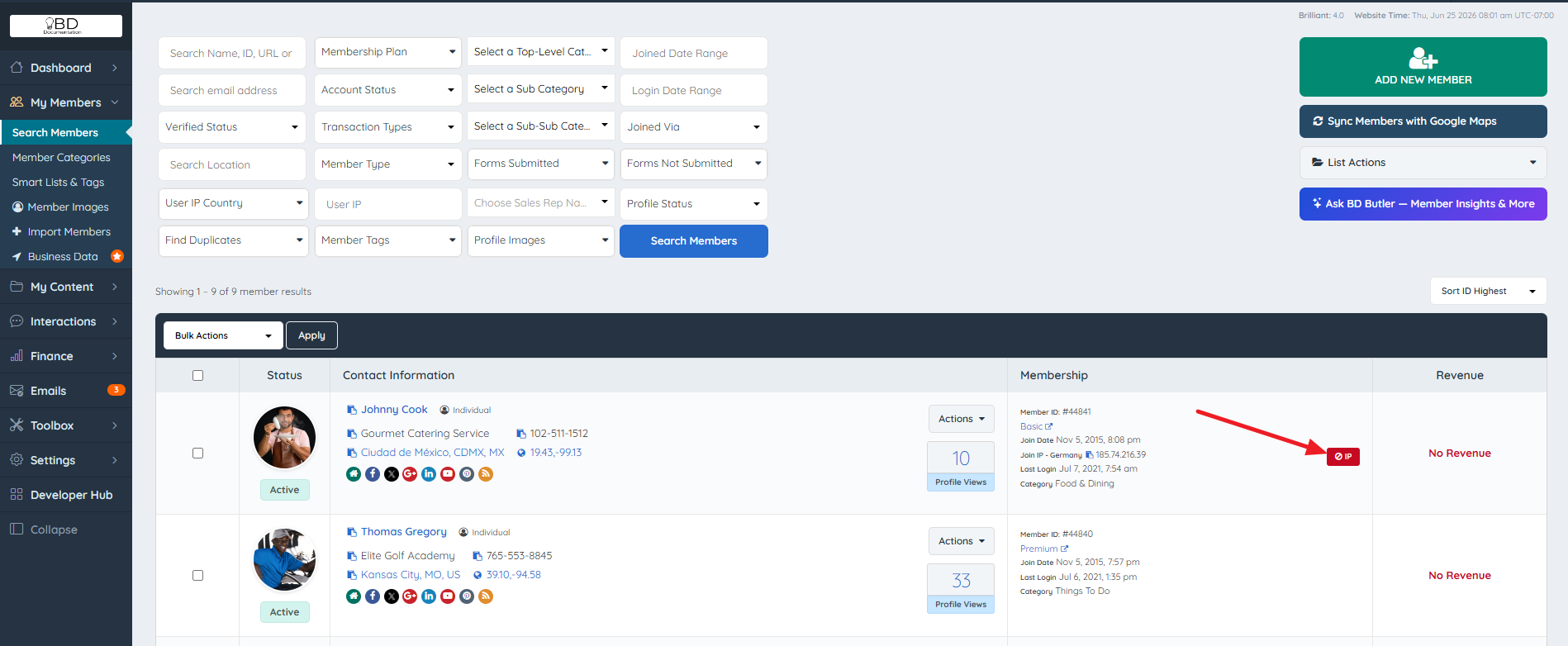
- Navigate to My Members » Search Members in the admin dashboard.
- Locate the unwanted member listing in the results table.
- Identify the IP Joined From value displayed in that member's record.
- Block the identified IP address using the IP blocking tool.
- Delete all listings created by that IP address.
Reference: Block An IP Address From The Website
Strategy 2 — Require Admin Moderation for Free Sign-Ups
Enabling admin moderation for free membership plans places all new free sign-ups into a pending hold status. Each account must be manually reviewed and approved by the administrator before becoming active on the site. This prevents spam listings from ever appearing publicly.
Navigation Path: Admin Dashboard » Finance » Membership Plans » Sign Ups & Upgrades
Reference: Manually Approve New Member Signups

Strategy 3 — Remove Website and Social Media Link Fields from Free Plans
Free member profiles that allow website and social media link fields are a primary target for SEO spammers. The motivation behind the majority of spam sign-ups is not genuine participation; it is the placement of backlinks to external sites within publicly indexed profiles.
Removing website and social media link fields from free membership plan profiles eliminates the primary incentive for this type of spam. Link-posting privileges can then be reserved exclusively for paid membership tiers, where members have a demonstrable interest in their listing. This approach keeps the directory cleaner, protects the site's reputation with search engines, and increases the perceived value of paid plan features.
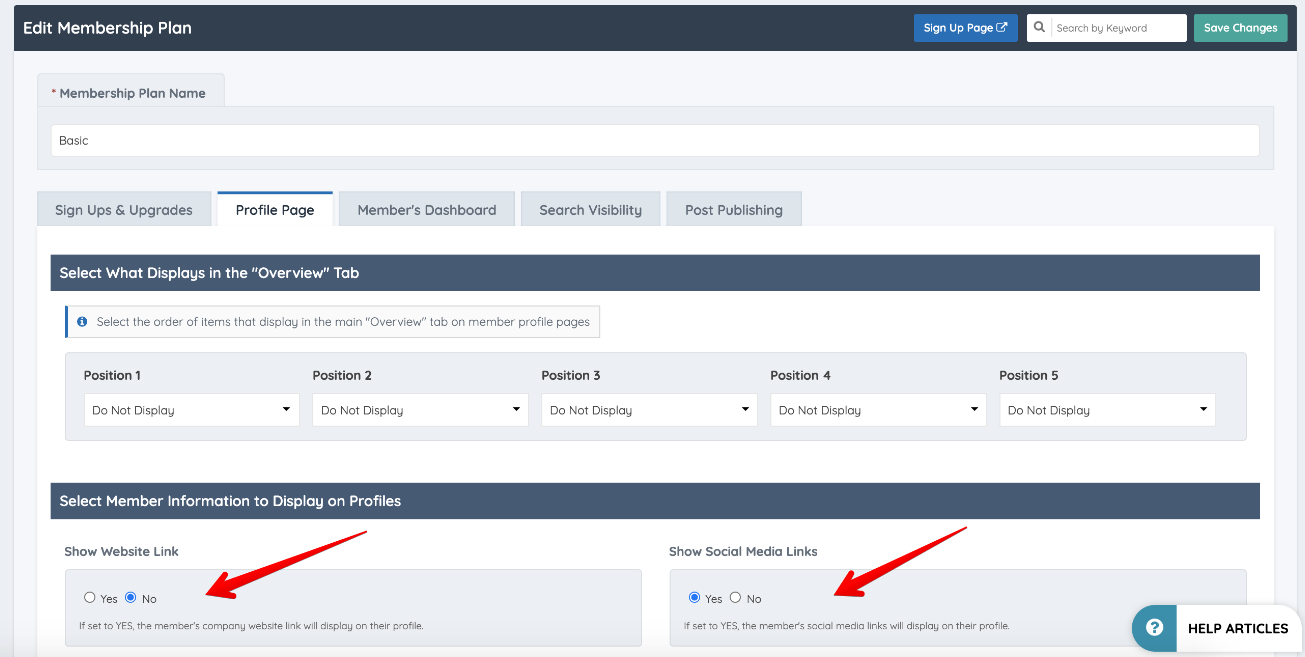
⚠ NOTE — Field Restrictions Are Configured Per Membership Plan: Website and social media link fields are controlled at the Membership Plan level. Changes made to field visibility on a free plan do not affect paid plans. Each plan's field configuration must be reviewed independently.
Strategy 4 — Remove Free Membership Plans Entirely
If spam volume is persistent and the other strategies are insufficient, removing free membership plans entirely and replacing them with a nominal paid entry point (such as a $1.00 joining fee) eliminates the possibility of free sign-ups altogether. With no free plan available, automated spam sign-up tools have no viable entry point.
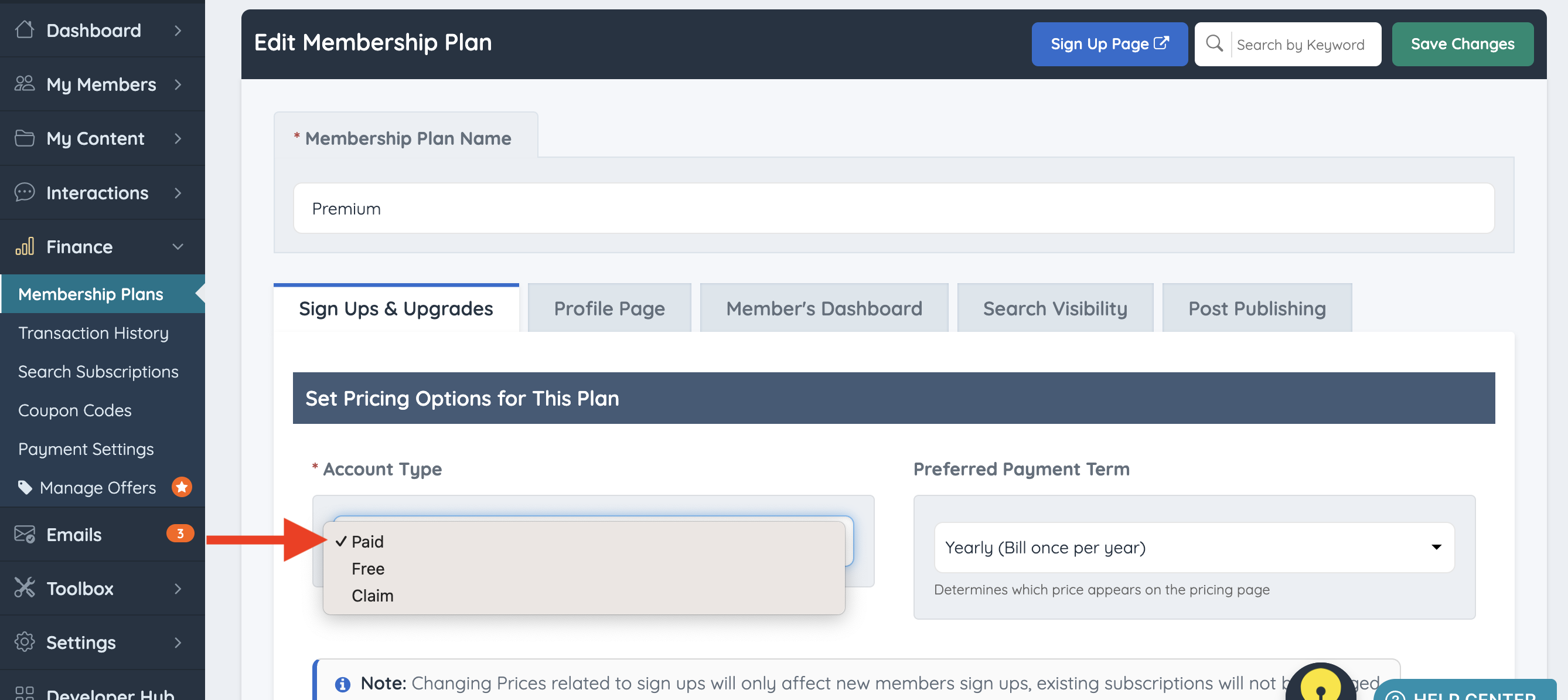
⚠ NOTE — Impact on Legitimate Sign-Up Volume: Introducing any paid requirement at the point of sign-up may reduce the overall volume of new registrations, including legitimate ones. This trade-off should be evaluated against the volume and severity of spam activity on the site before this strategy is implemented.
Strategy 5 — Customize Checkout Page URLs
All membership plans are assigned default checkout URLs following a sequential numeric pattern (e.g., checkout/1, checkout/2). This predictable structure allows automated tools to iterate through plan URLs and discover free or legacy plans that are no longer publicly linked but still technically accessible.
Customizing the checkout URLs of free membership plans to non-sequential, non-predictable values removes this attack surface. Plans that are inactive, hidden, or not intended for public access should have their URLs changed as a baseline precaution.
Reference: Edit Checkout Pages: How To Edit Checkout URL
Strategy 6 — Block Traffic by Country
If spam sign-ups are originating predominantly from specific geographic regions, the Block Traffic by Country tool can be used to restrict site access from those regions entirely.
Reference: Block Traffic by Country
⚠ NOTE — Broader Impact of Country Blocking: Blocking traffic by country restricts all site access from the selected regions, not only sign-up attempts. Legitimate visitors, potential members, and existing members from blocked regions will also be unable to access the site. This strategy is most appropriate when spam is clearly concentrated in specific regions and the site does not serve or target those regions.
