How To Embed a Form on a Web Page
Link: https://support.brilliantdirectories.com/support/solutions/articles/12000059296
To embed any form on a web page, copy and paste the form's shortcode.
The shortcode uses the form's system name to call it, in this format:
[form=System Name]
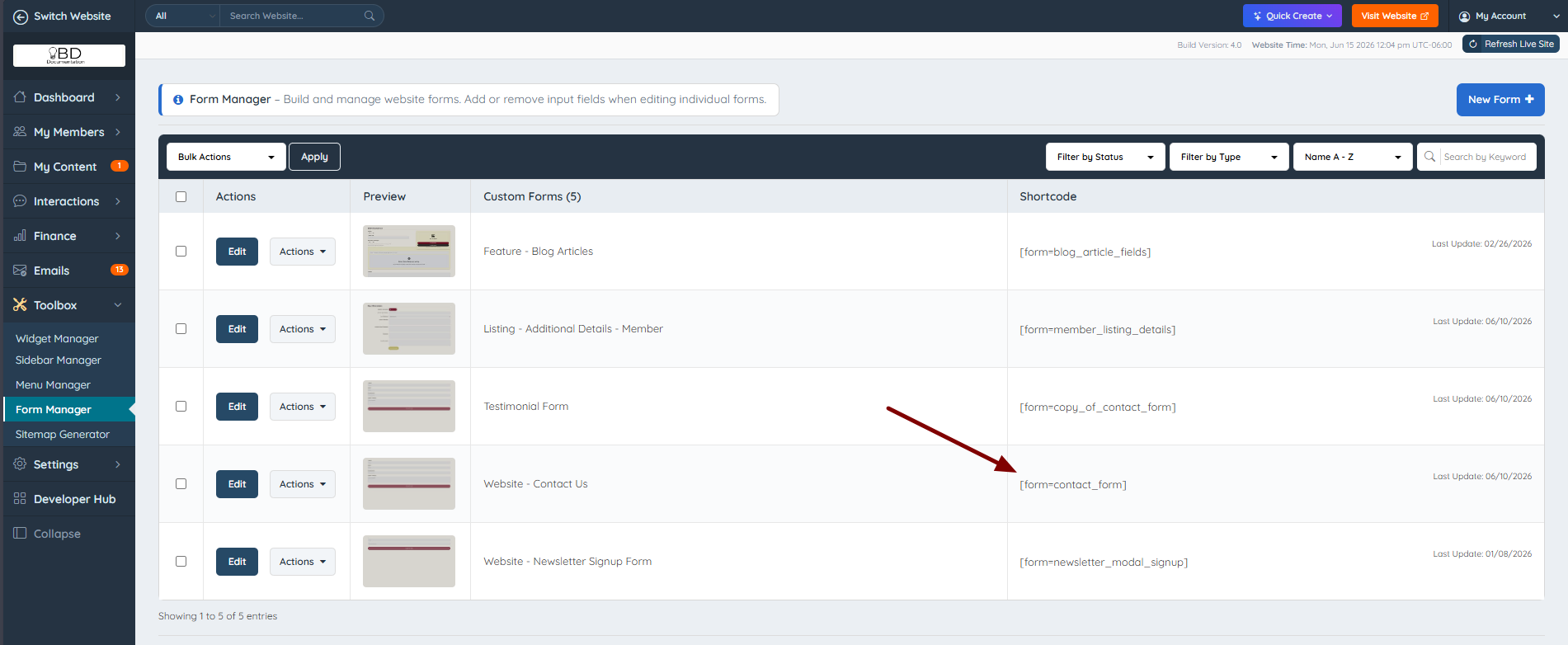
For example, the Website - Contact Us form has the system name contact_form, so its shortcode is:
[form=contact_form]
A form's system name can be found in the Form Manager (and identified on the front end using the Admin Bar). The screenshot below shows where the system name appears:
With the shortcode copied, follow these steps:
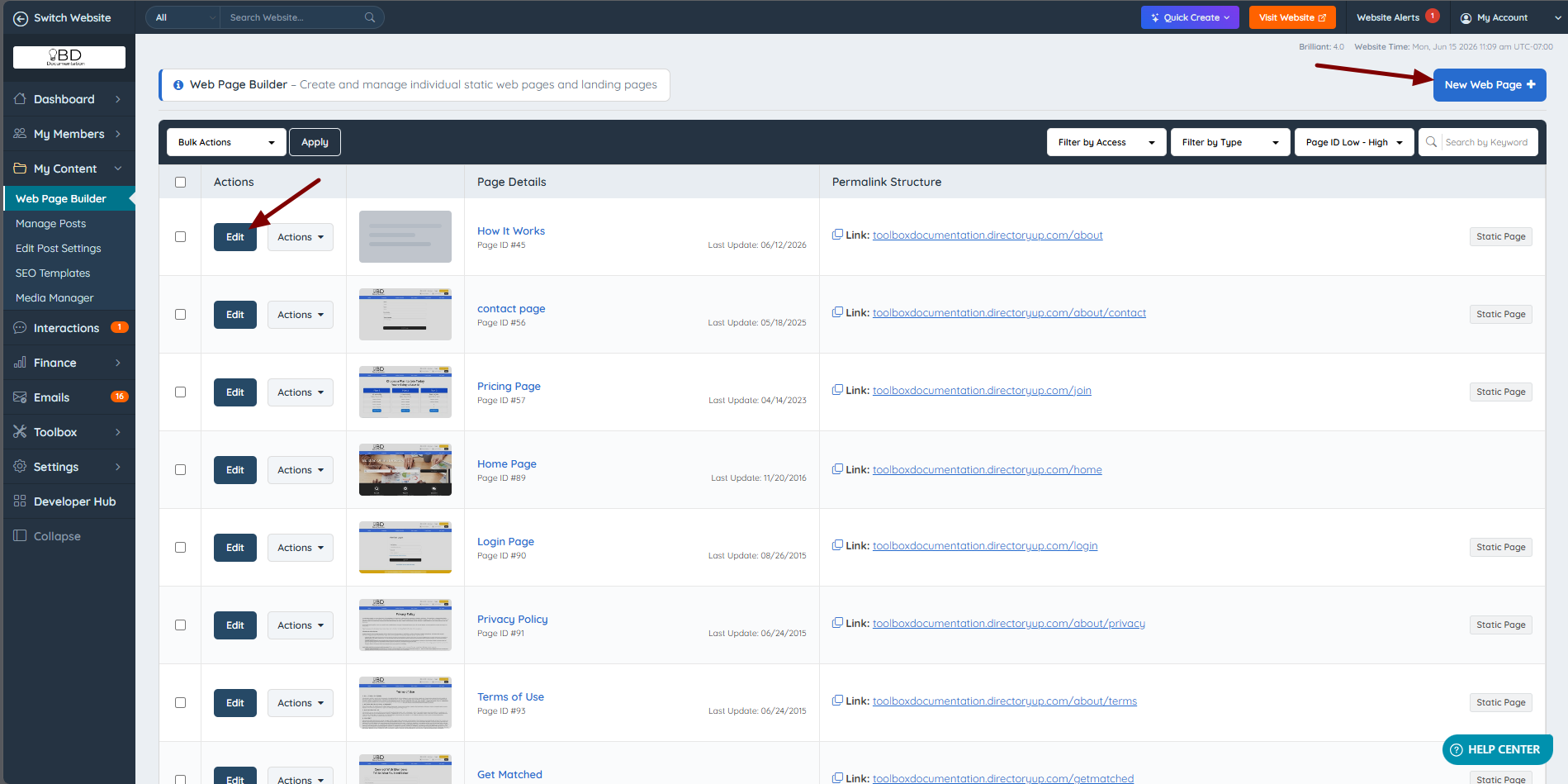
1. Navigate to My Content >> Web Page Builder, as used in related articles and click "New Web Page", or click "Edit" on an existing page:
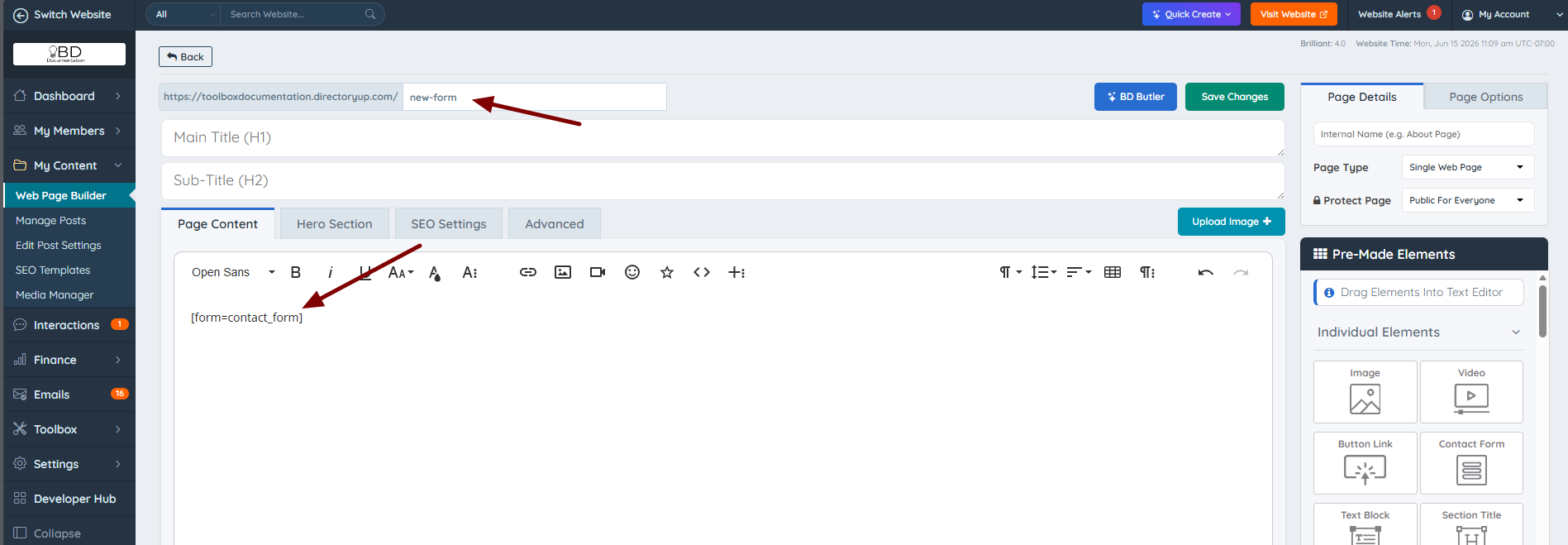
2. Paste the copied shortcode into the text editor, add a unique URL, and save the changes:
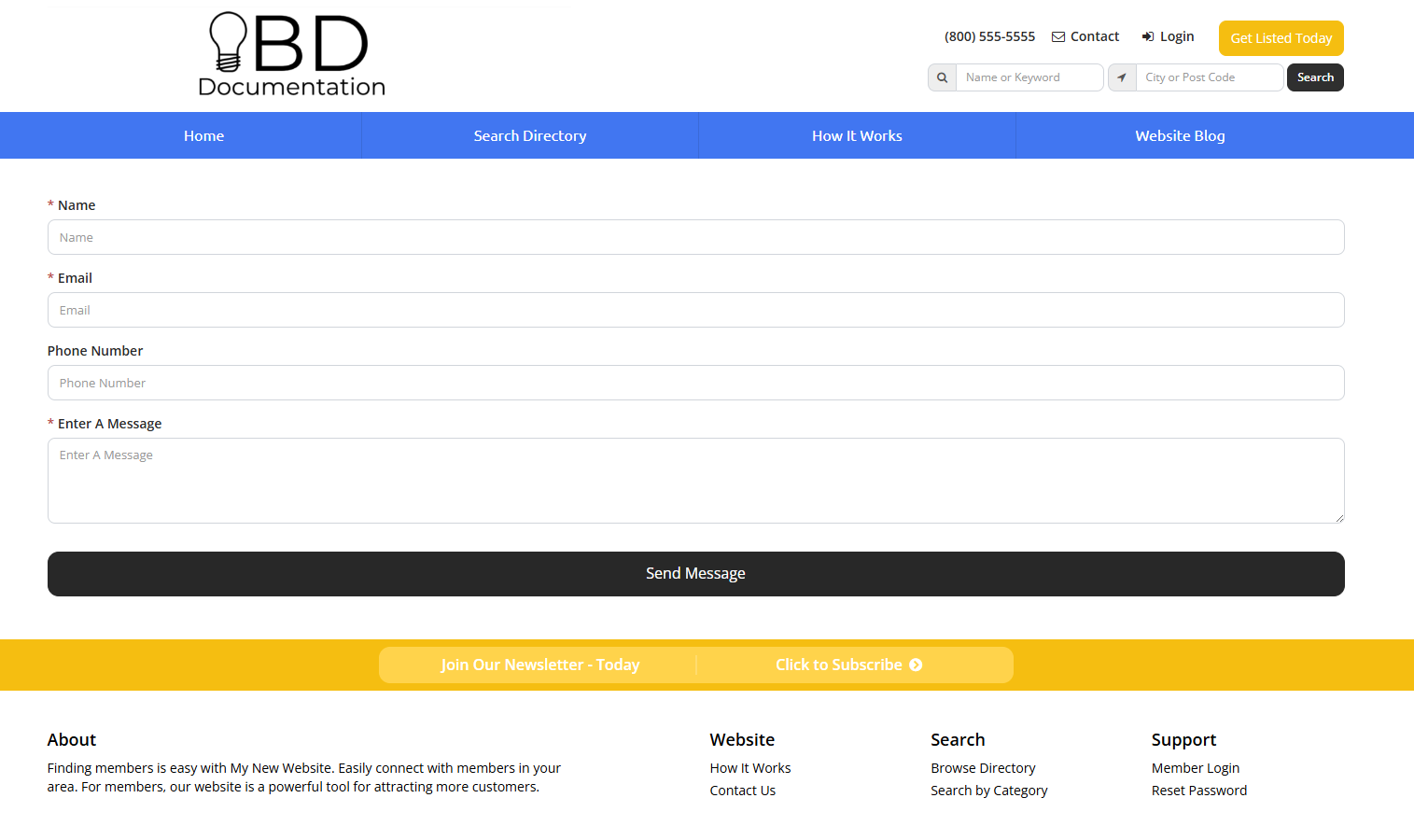
The form will start displaying right away: