
Affiliate Program Integrations
Link: https://support.brilliantdirectories.com/support/solutions/articles/12000058112
By default, Brilliant Directories can be integrated with PostAffiliatePro integration.
NOTE: Other affiliate solutions can be integrated using a different method. Please check: Adding Affiliate Tracking & Conversion Codes
1. Go to Settings, General Settings and click on the Integrations:

2. Search for the keyword "affiliate" which will show the PostAffiliatePro options:
There was previously an integration with ShareASale; however, it is no longer supported, as the platform is expected to be deprecated.
If ShareASale credentials were configured prior to this change, they may still appear and continue to function temporarily. However, if no credentials were previously added, the integration options will no longer be available.
These integrations can track any of the following Transaction Types:
- Member Sign Ups
- Member Upgrades
- Member Lead Purchases
- Digital Product Purchases
- Pay-Per-Post Purchases
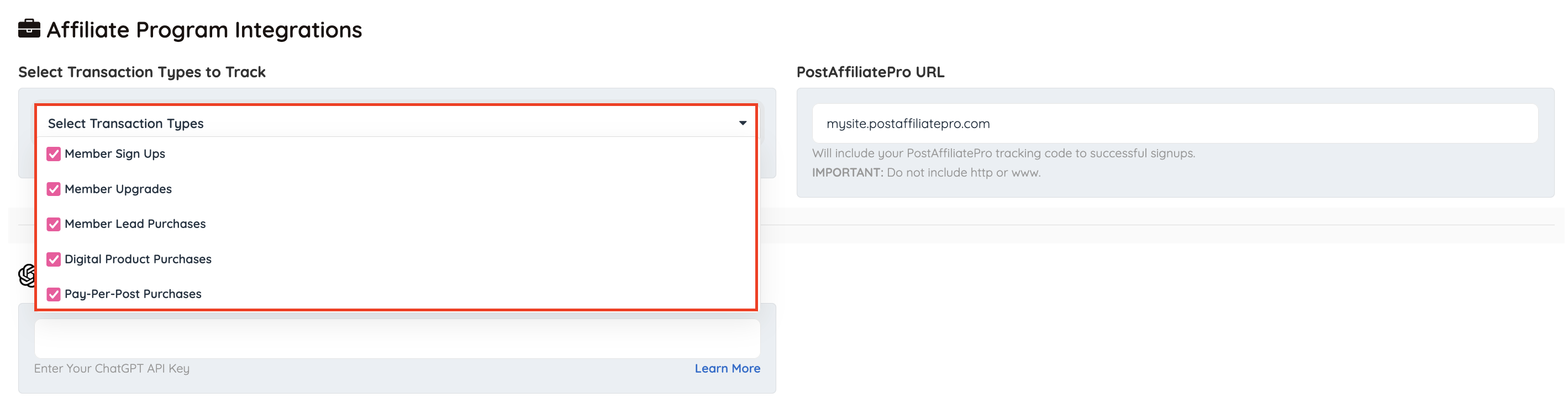
If the site is using Post-Affiliate-Pro the code would look similar to this:

These codes will include information about the purchase such as:
1. Tracking code
2. Total Cost
3. Order ID, or Invoice ID
4. Product ID
