Support Center
Submit a Ticket View My Tickets
Manage Account
Welcome
Login  Sign up
Solution Center Webinar Replays Hire a Developer Join Facebook Group

What Do You Need Help With?

Solution home Section: My Content SEO Templates Hiding Banner Ads On a Specific SEO Template

Hiding Banner Ads On a Specific SEO Template

Link: https://support.brilliantdirectories.com/support/solutions/articles/12000054639

Steps

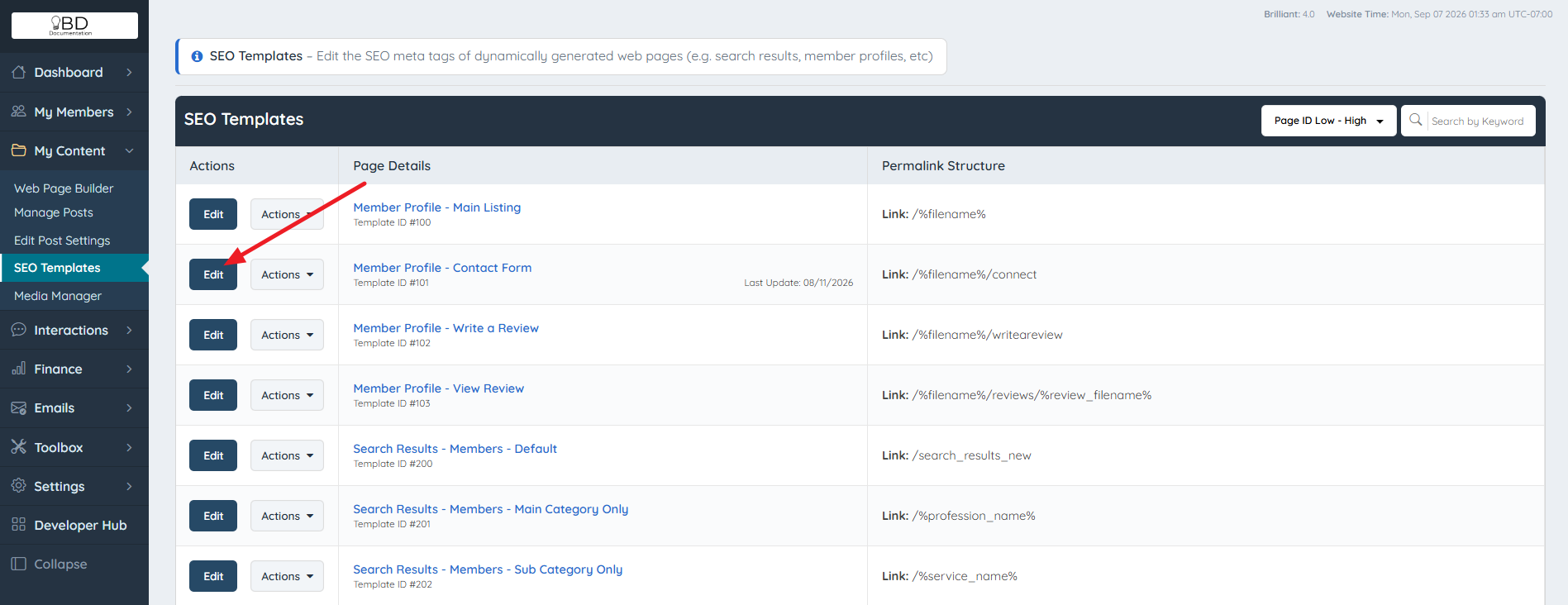
  1. Navigate to My Content > SEO Templates.
  2. Select the SEO template that contains the ad to be hidden, then click Edit.

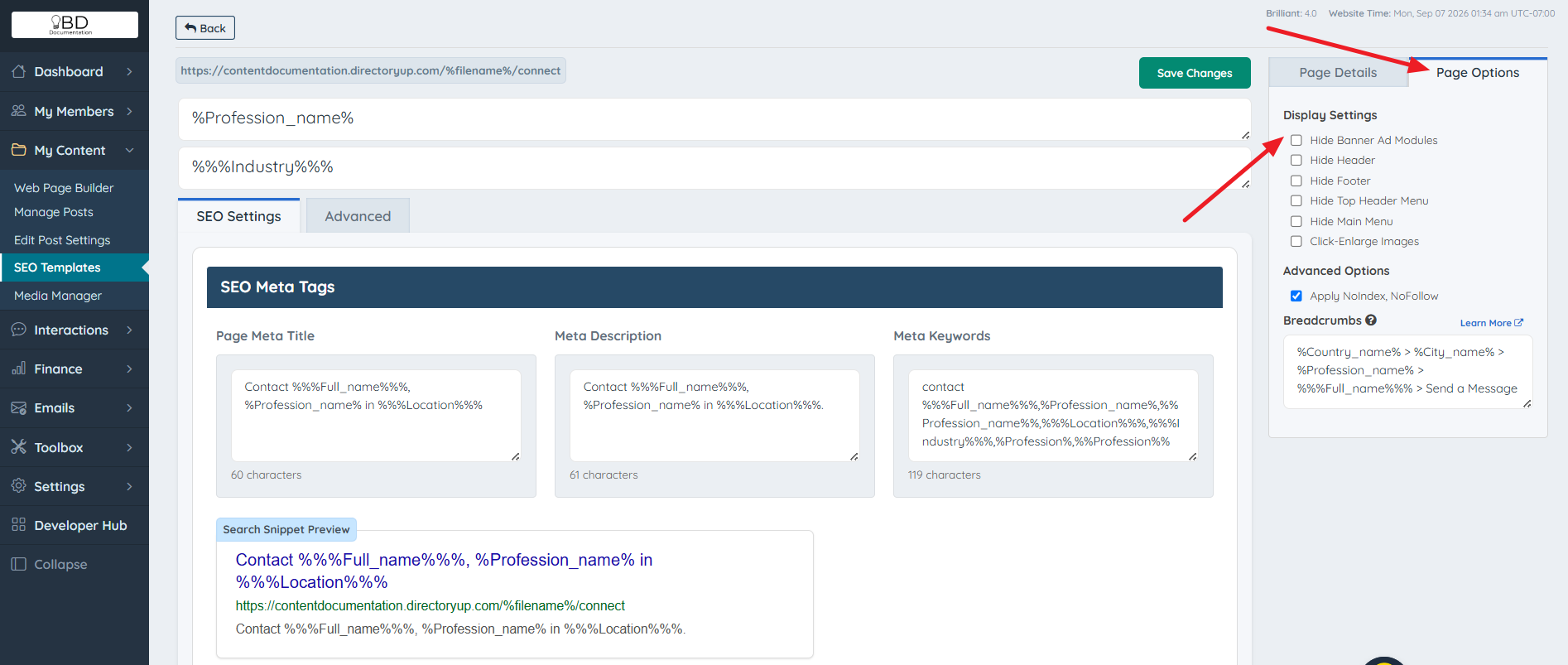
  3. Click the Page Options tab.
  4. Select Hide Banner Ad Modules.


For additional assistance:
Email support@brilliantdirectories.com or create a ticket Inside Your Account Dashboard.


Was this article helpful and accurate? Yes No

Send feedback
Sorry we couldn't be helpful. Help us improve this article with your feedback.

Related Articles

    Article views count