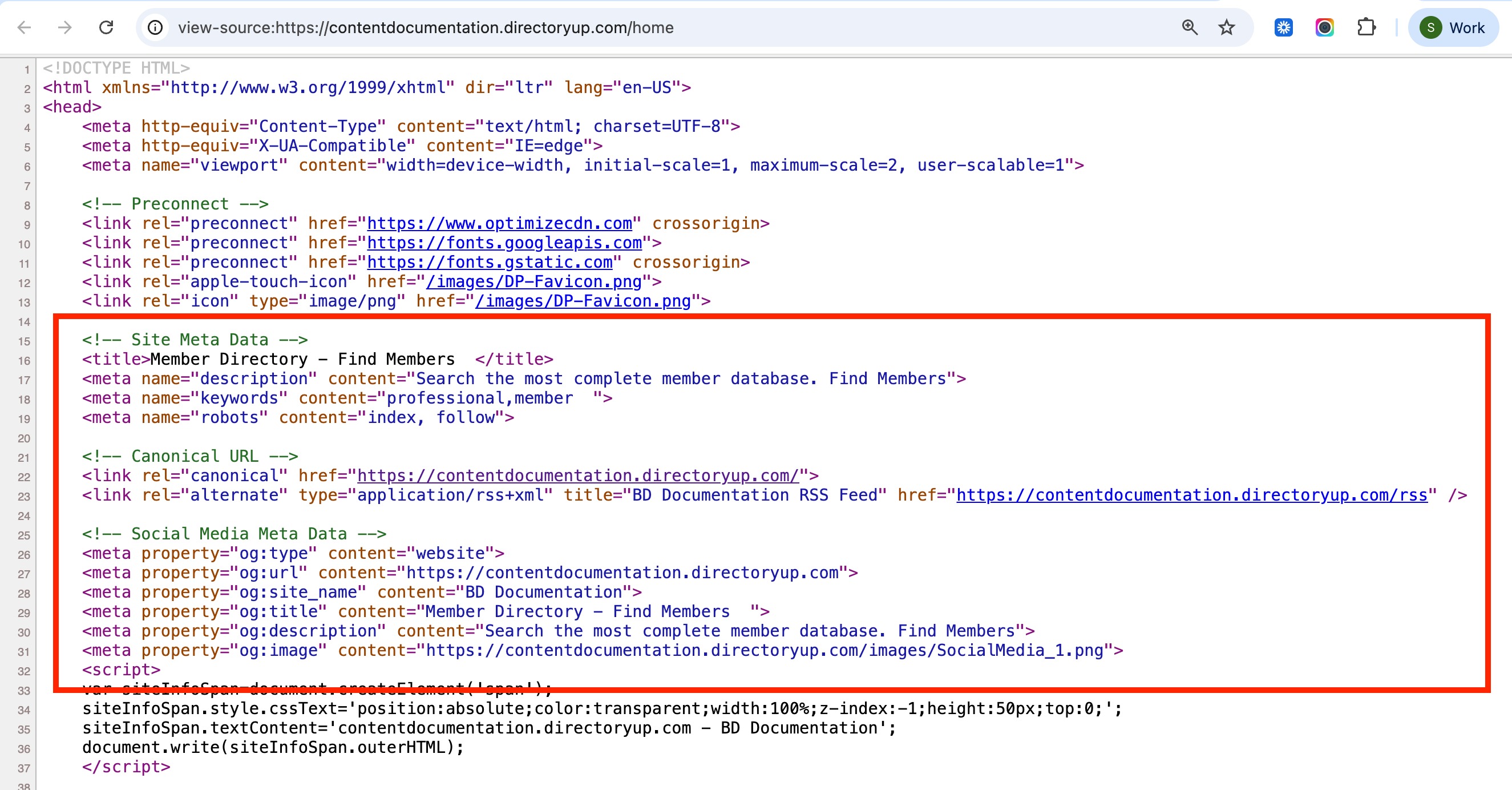
Check SEO Data using "View Page Source"
Link: https://support.brilliantdirectories.com/support/solutions/articles/12000053666
Overview
When SEO or social sharing updates are made, the website's source code can be reviewed to confirm the changes were applied.
Steps
- Open the page to be checked.
- Right-click anywhere on the page and select View Page Source.
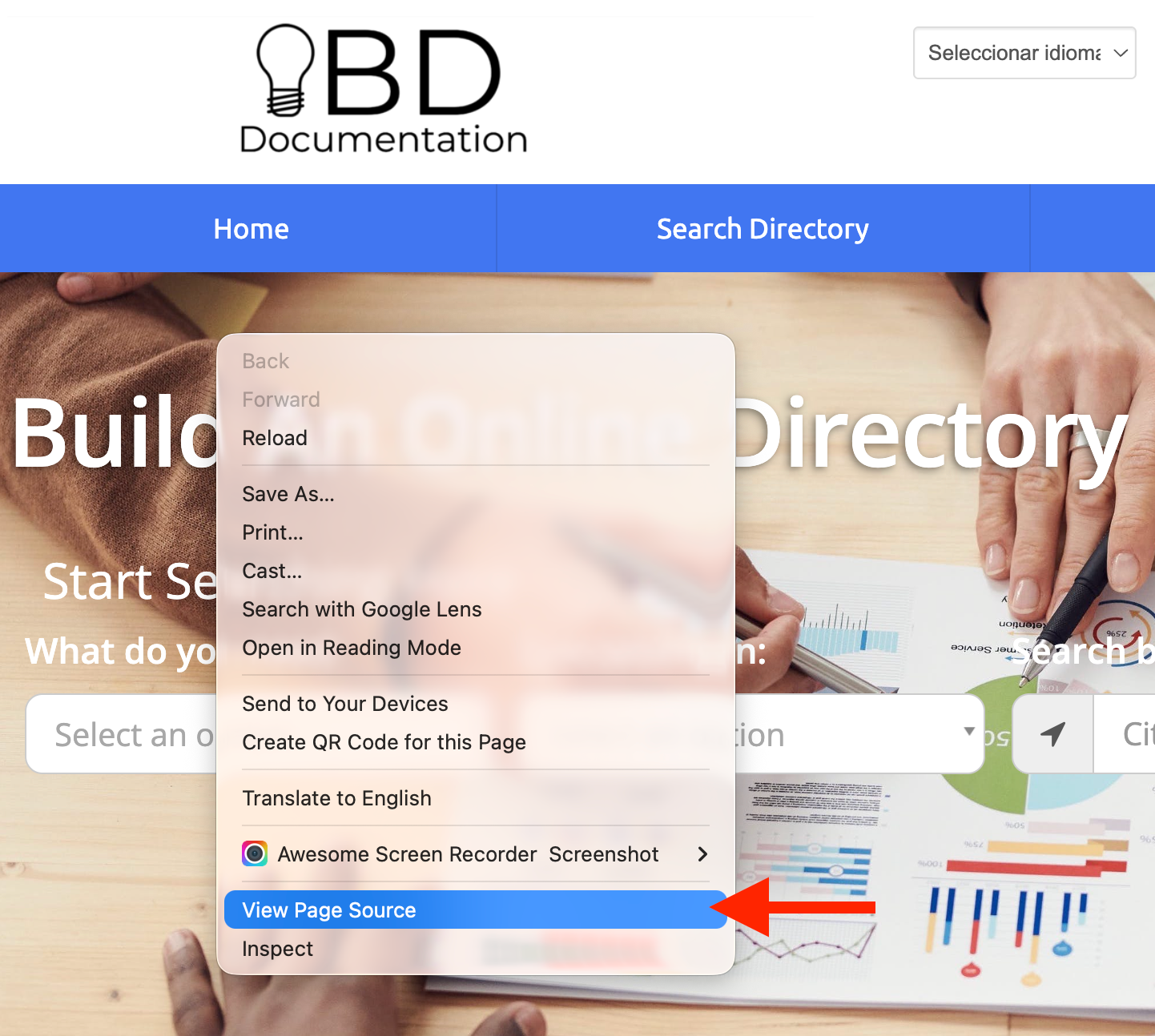
Alternatively, the source code can be accessed using a keyboard shortcut: Ctrl + U on most browsers, or Option + Command + U in Safari. All major browsers support this functionality.
- Within the source code view, use the standard browser search command, Ctrl + F, to scan for specific SEO elements.