
How to Remove the Leads/Send Message Links from the Website
Link: https://support.brilliantdirectories.com/support/solutions/articles/12000049682
This guide explains how to disable member-to-member messaging and remove lead generation forms from your website.
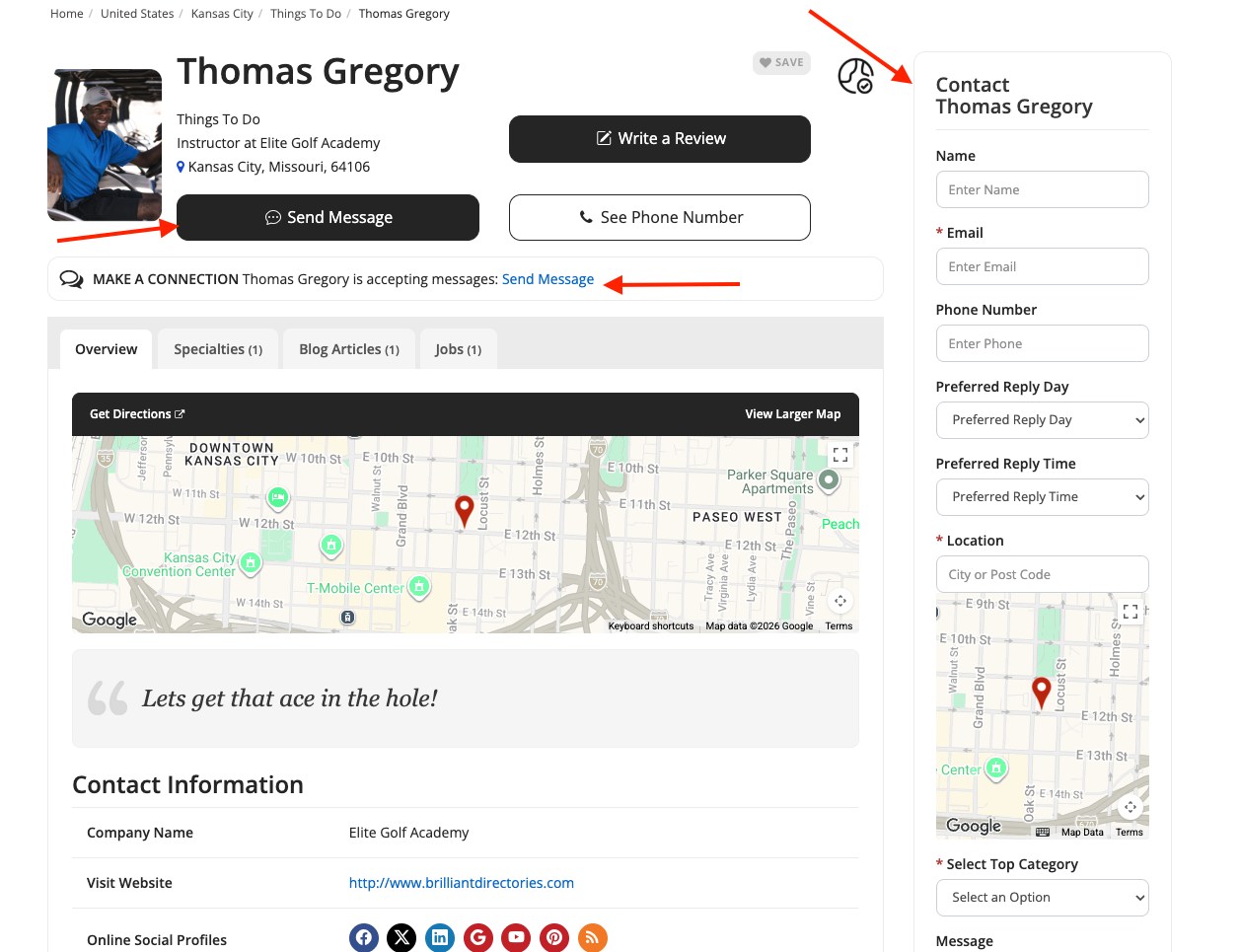
Disable the "Send Message" Feature:
The first step is to prevent members from receiving messages and leads through their profile pages.
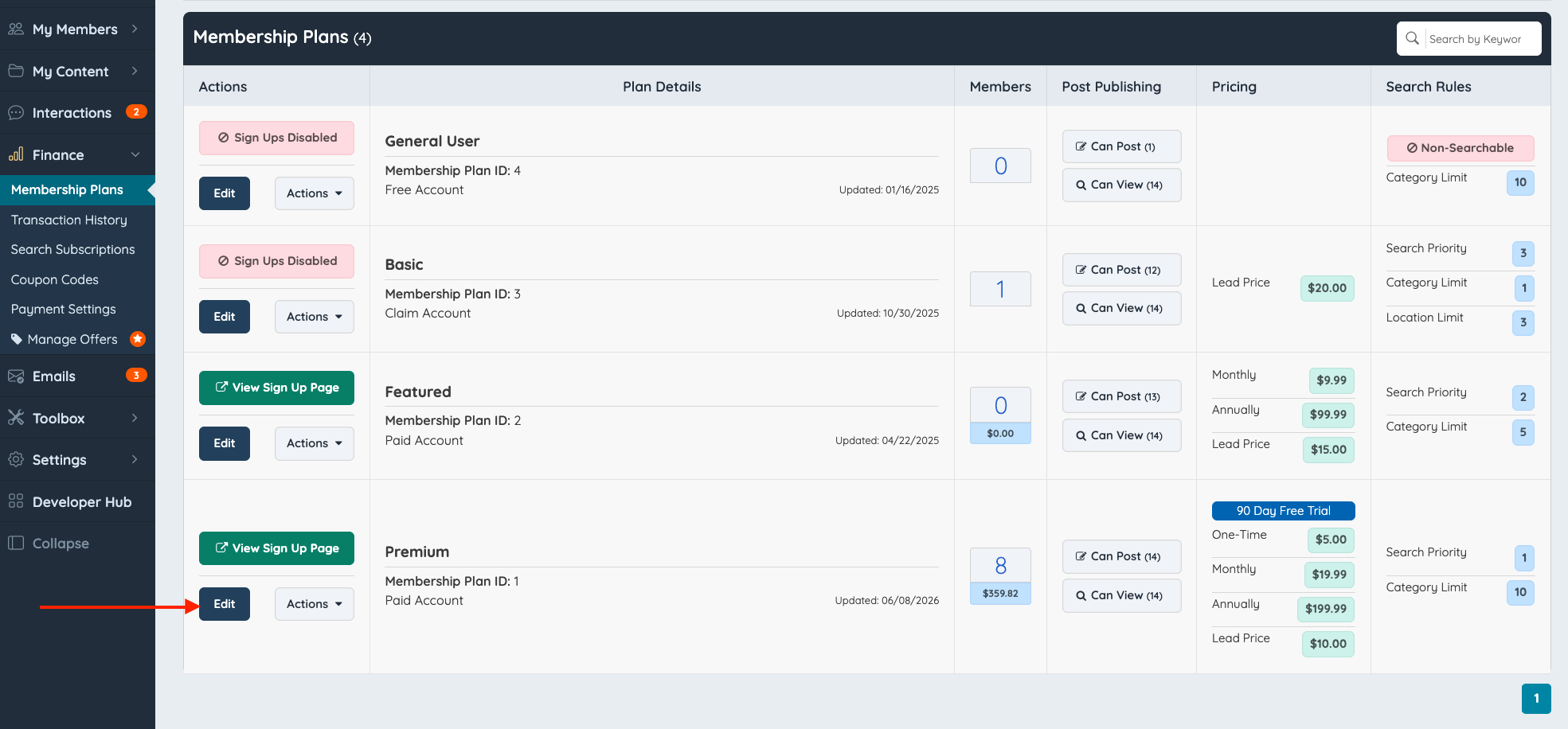
Navigate to Membership Plans:
- Go to Finance → Membership Plans.
- Locate the membership plan you want to edit.
- Click Edit.
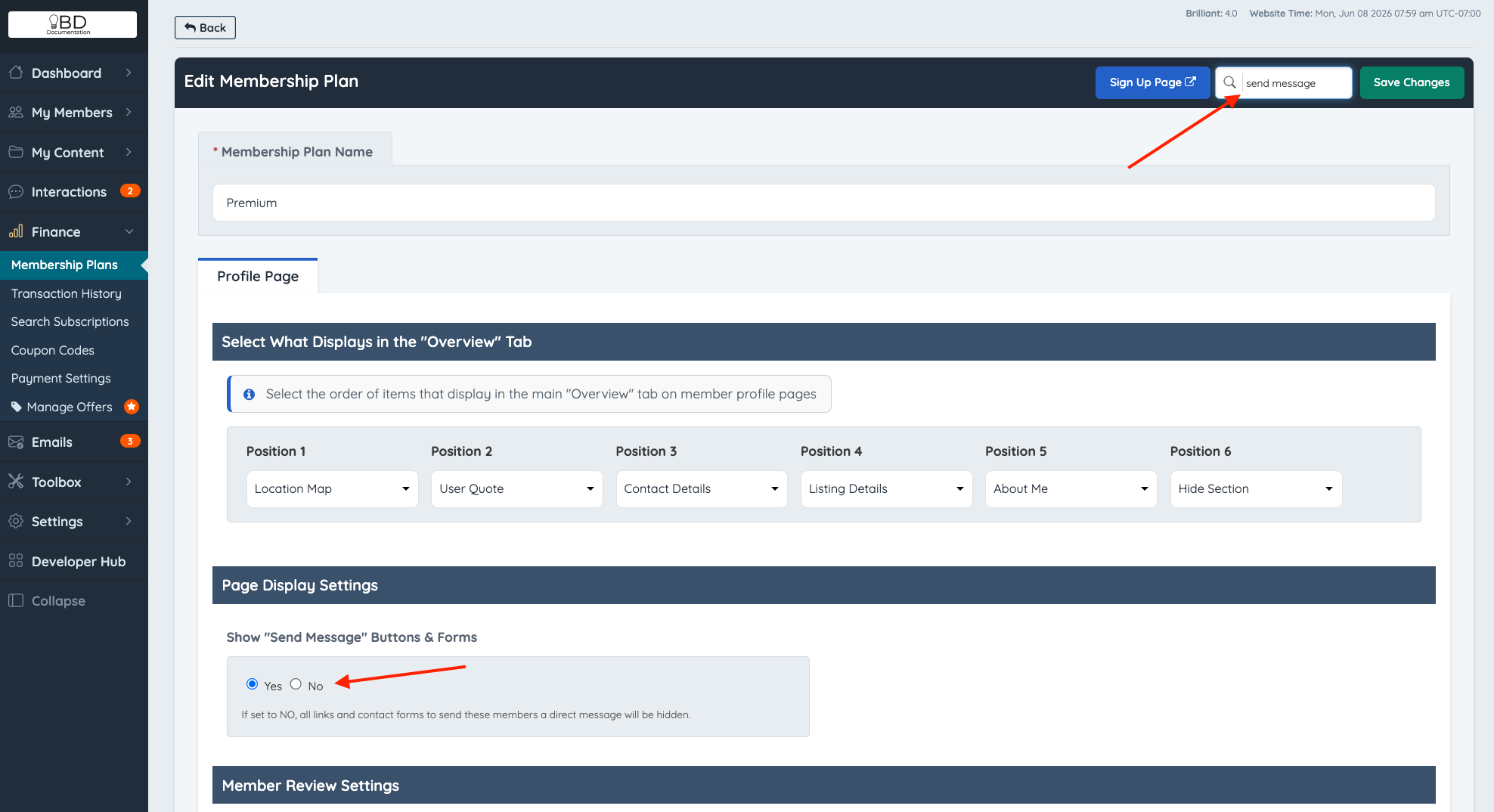
Disable the Send Message Form:
- Open the Profile tab.
- Locate the setting Show "Send Message" Buttons & Forms.
- Set this option to No.
Do the same on all of the Membership Plans.
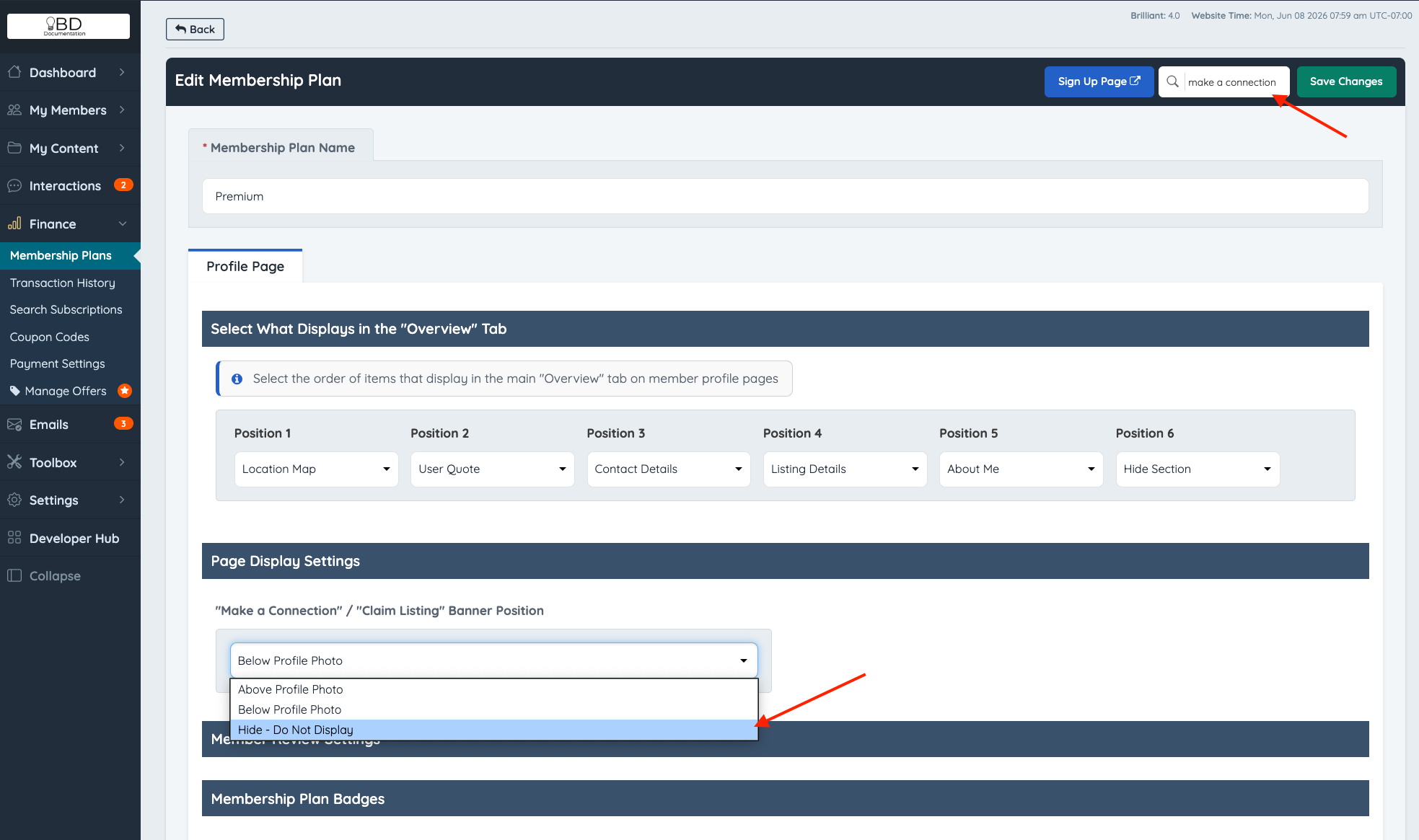
Then go to the Profile tab, find "Make a Connection" / "Claim Listing" Banner Position. Select "Hide - Do Not Display" to hide the send message link.
Do the same on all of the Membership Plans.
After updating these settings, the messaging forms and buttons will no longer appear on member profile pages.
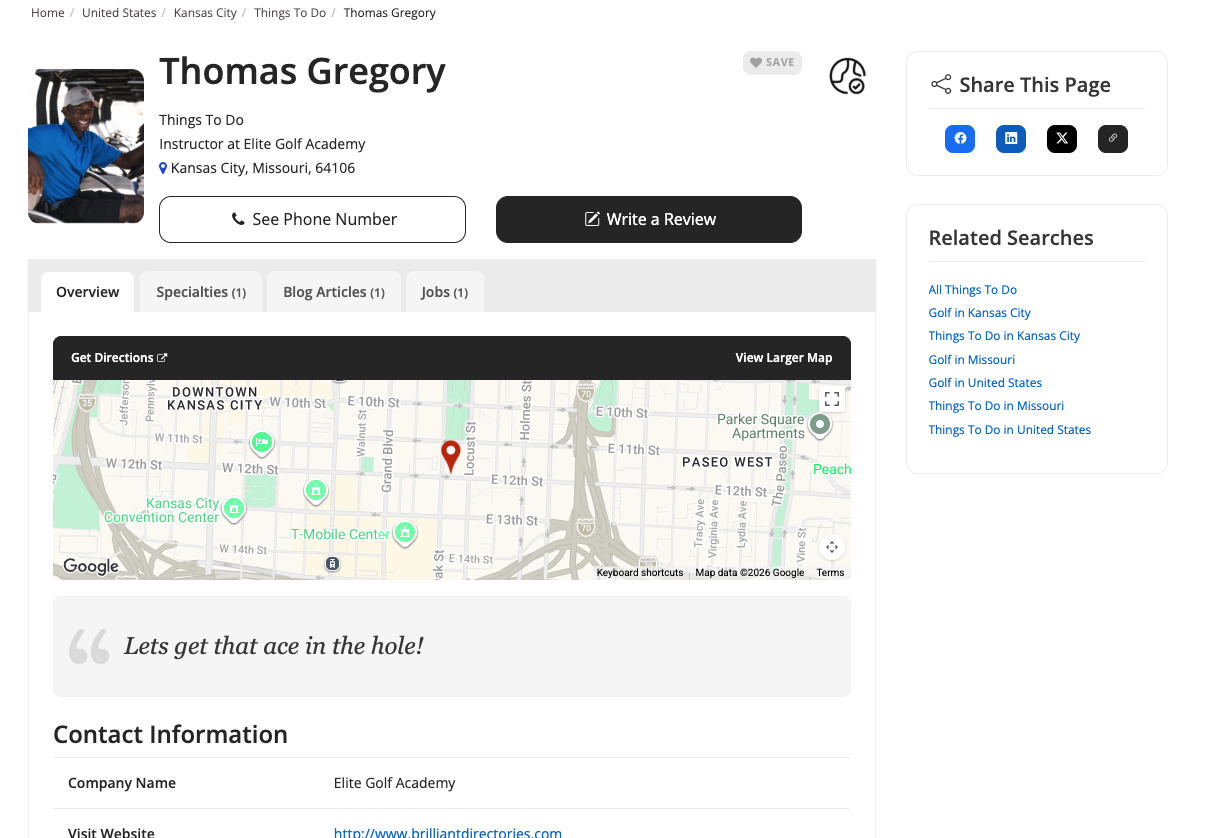
Important: Repeat this step for every membership plan that should not allow messaging.
Remove the "Get Matched" Page
Lastly, it is also important to remove the Getmatched Page.
Go to My Content >> Web Page Builder >> Locate the "Get Matched" page and click on Delete.
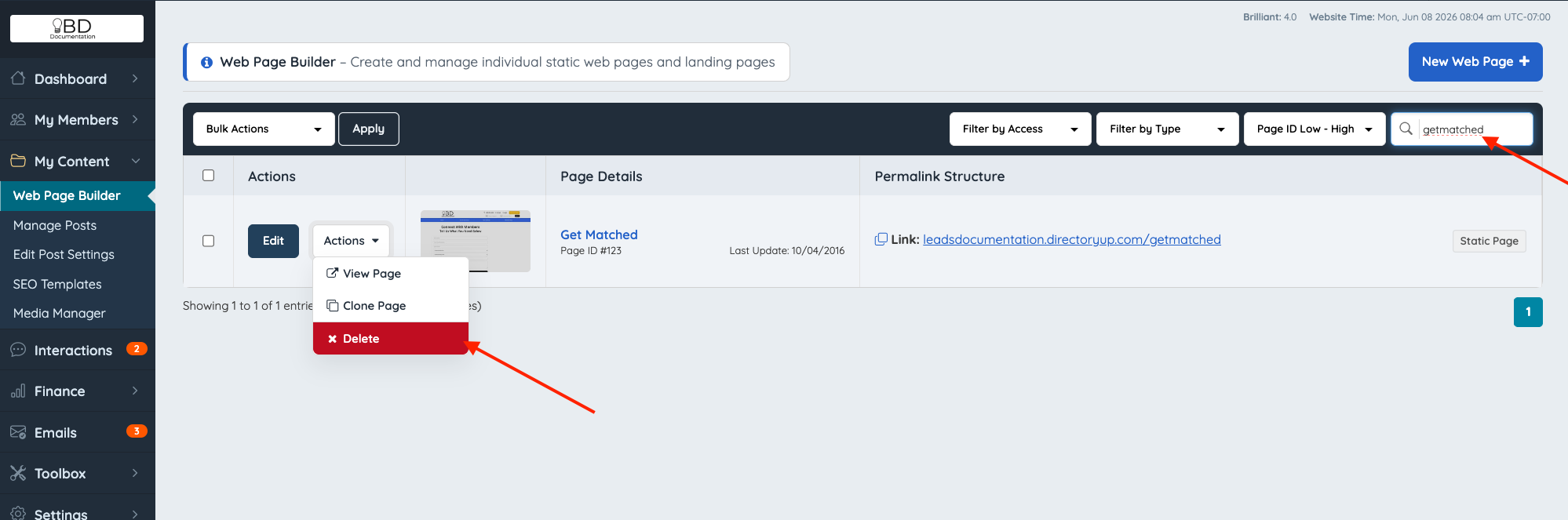
Once deleted, visitors will no longer be able to access the Get Matched page on the website.
