
How to Create a Sidebar
Link: https://support.brilliantdirectories.com/support/solutions/articles/12000047136
A sidebar is a column of widgets shown next to the page content. Follow these steps to create a new custom sidebar and add widgets to it.
- In the admin area, navigate to Toolbox » Sidebar Manager and click New Sidebar at the top right.
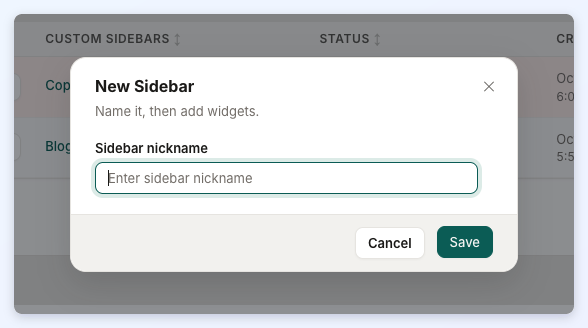
- The New Sidebar window opens. Enter a name in Sidebar nickname and click Save. Each sidebar needs a name that no other sidebar uses.
- The new sidebar opens in the sidebar editor, empty and ready for widgets. Use Add Widgets to Sidebar to search for widgets and add them, drag them into order, then click Save in the Unsaved changes bar.
See Toolbox » Sidebar Manager for the full editing steps, and Popular Sidebar Widgets for widget suggestions.
Tip: If an existing sidebar is close to what is needed, cloning it can be faster than building a new one from scratch. Clone Sidebar is in the Actions menu of each custom sidebar, both in the Sidebar Manager list and in the sidebar editor.
Additional Information:
