
How to Edit the Top Header Menu
Link: https://support.brilliantdirectories.com/support/solutions/articles/12000033106
The Top Header Menu is the bar that appears at the very top of every Brilliant Directories website, typically displaying contact details and quick links. This article covers editing its content and links.
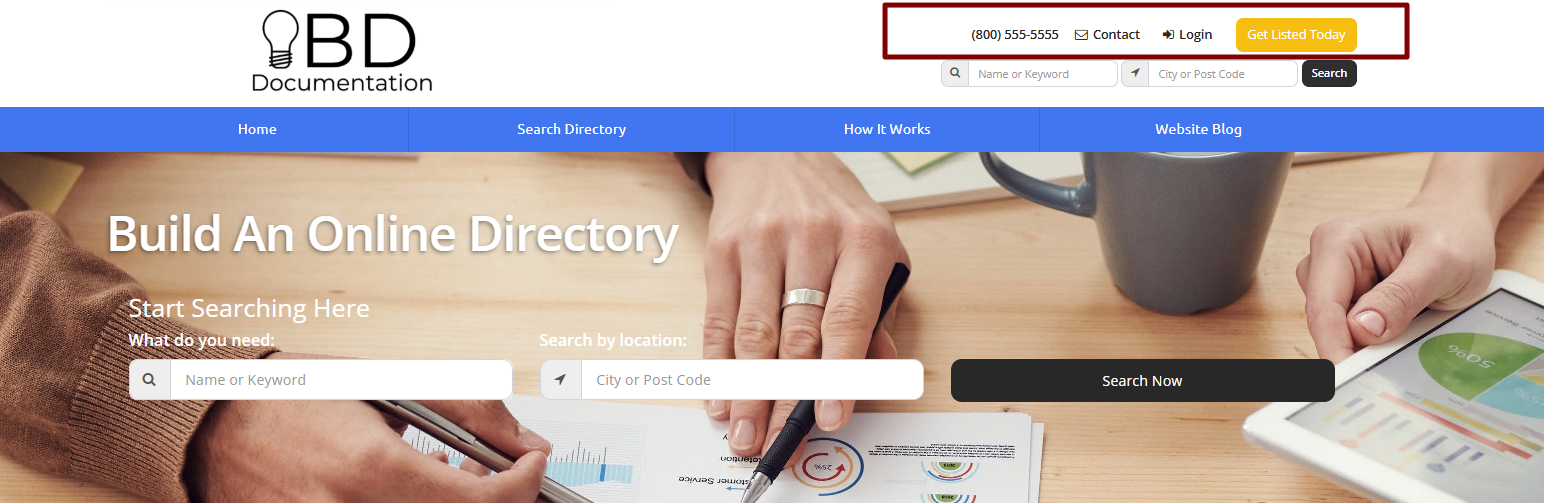
To edit the content in the Top Header Menu or add additional links, follow the steps below.
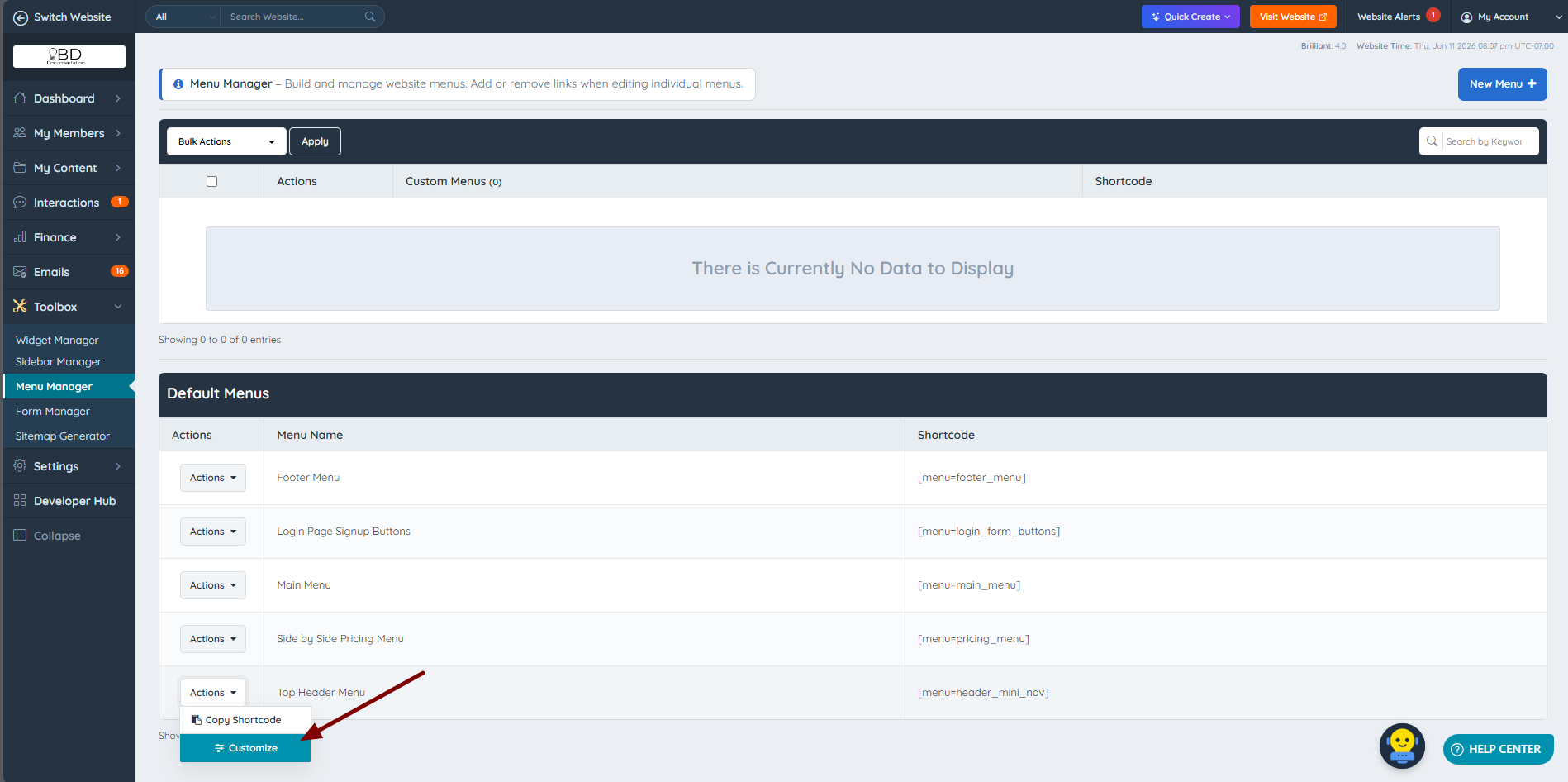
1. Go to Toolbox >> Menu Manager and click Customize on the Top Header Menu:
2. In the Customize view, update the menu item's text and add a link if needed.
The text can include the following dynamic variables:
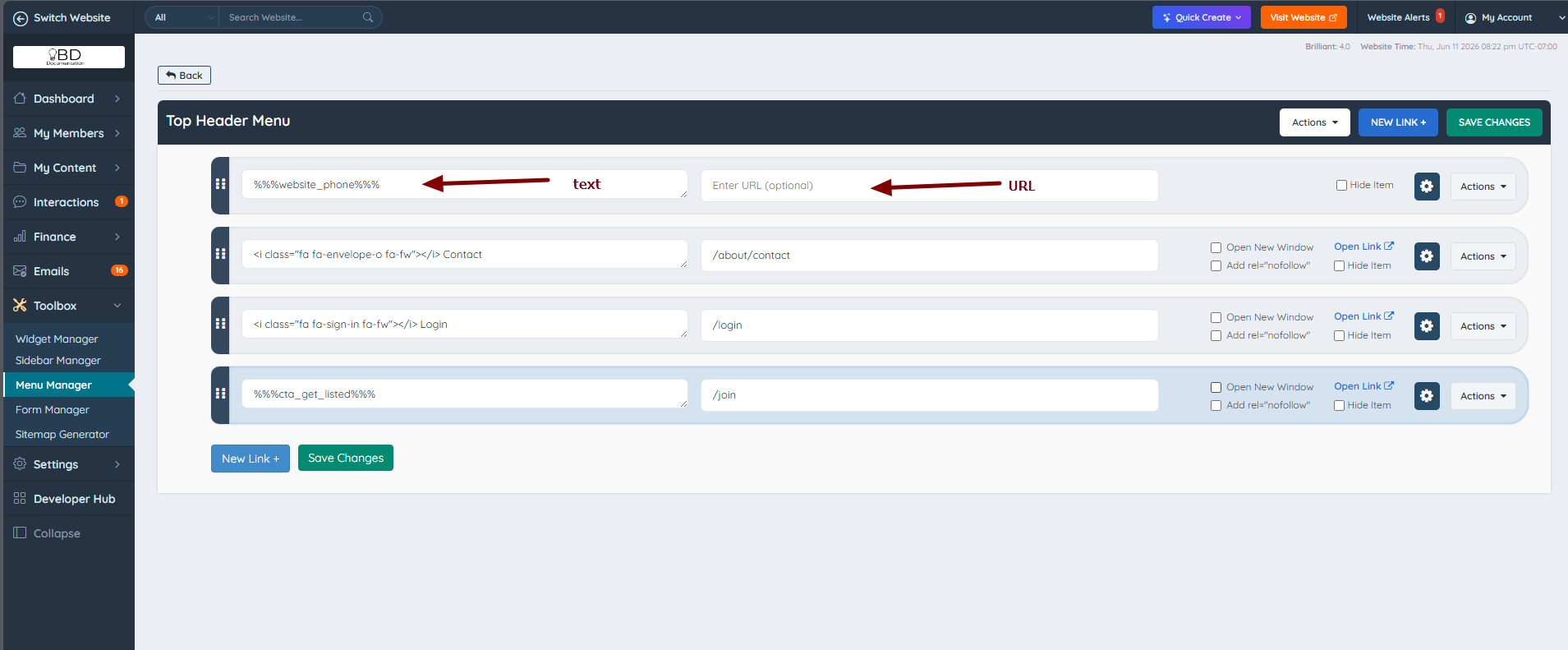
- The variable
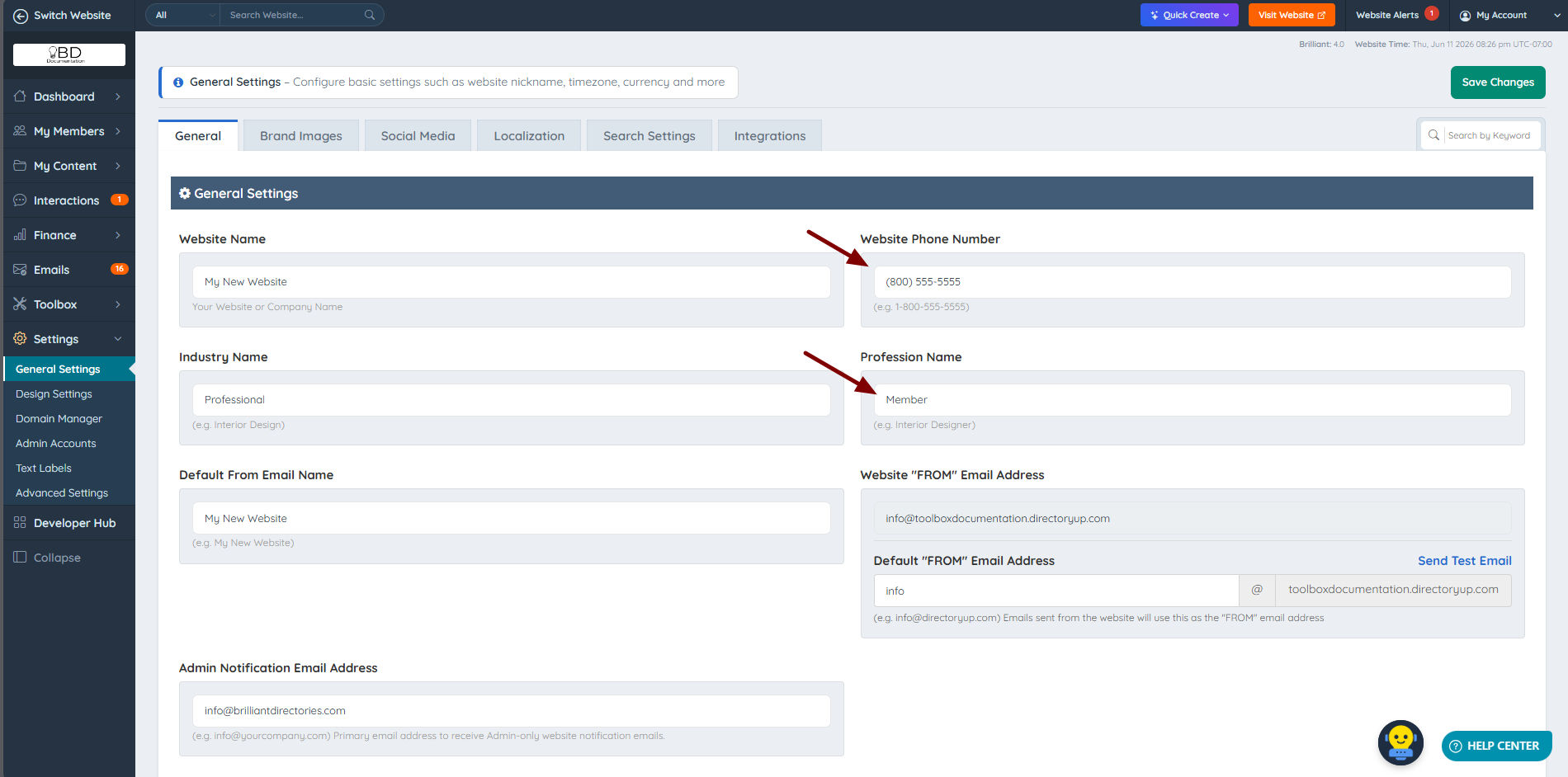
%%%website_phone%%%outputs the phone number entered under Settings >> General Settings >> General:
- The variable
%%Profession%%outputs the Profession Name value entered under Settings >> General Settings >> General.
To add or disable the search module that appears in the header, refer to this article: Show Header Search
